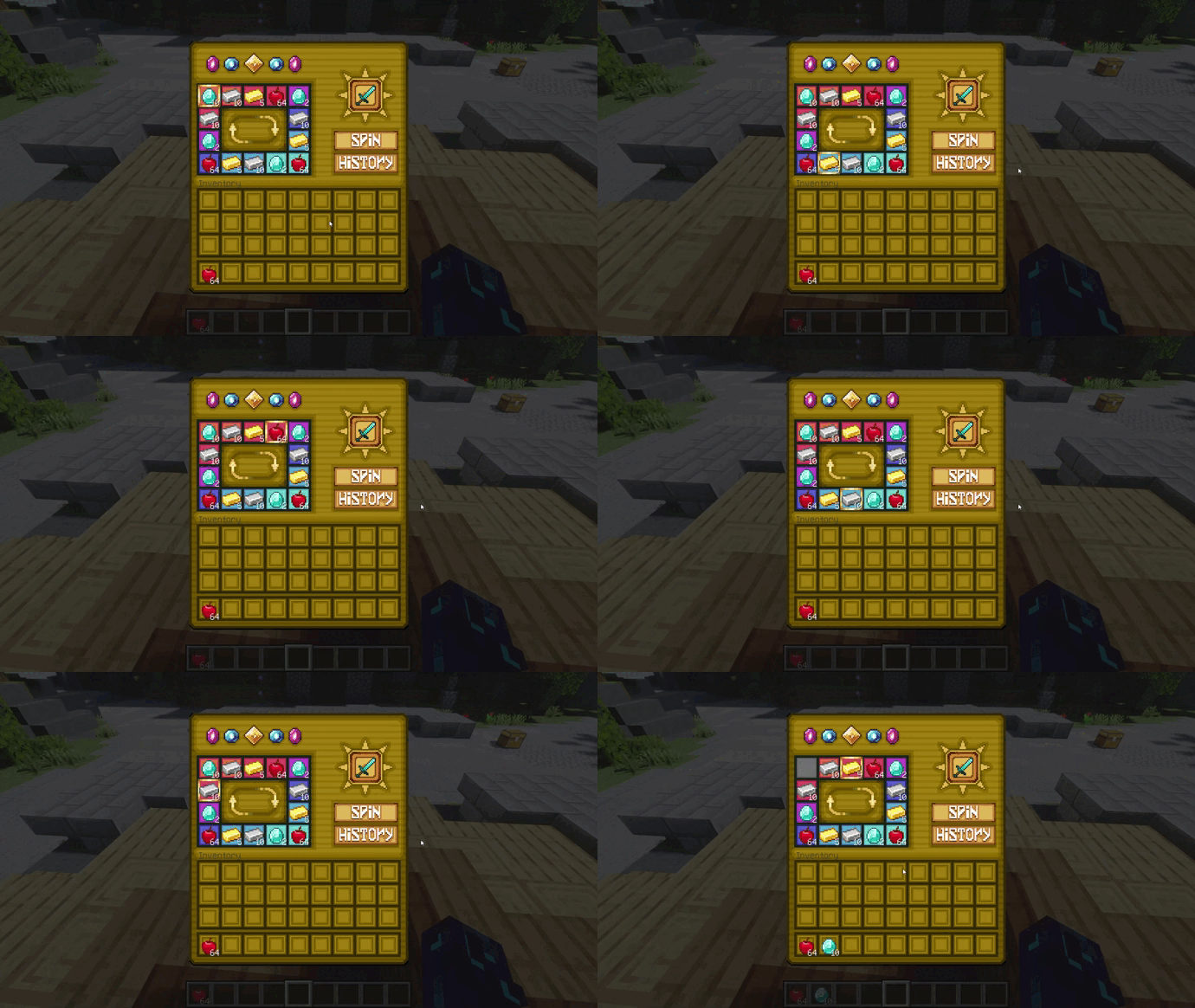
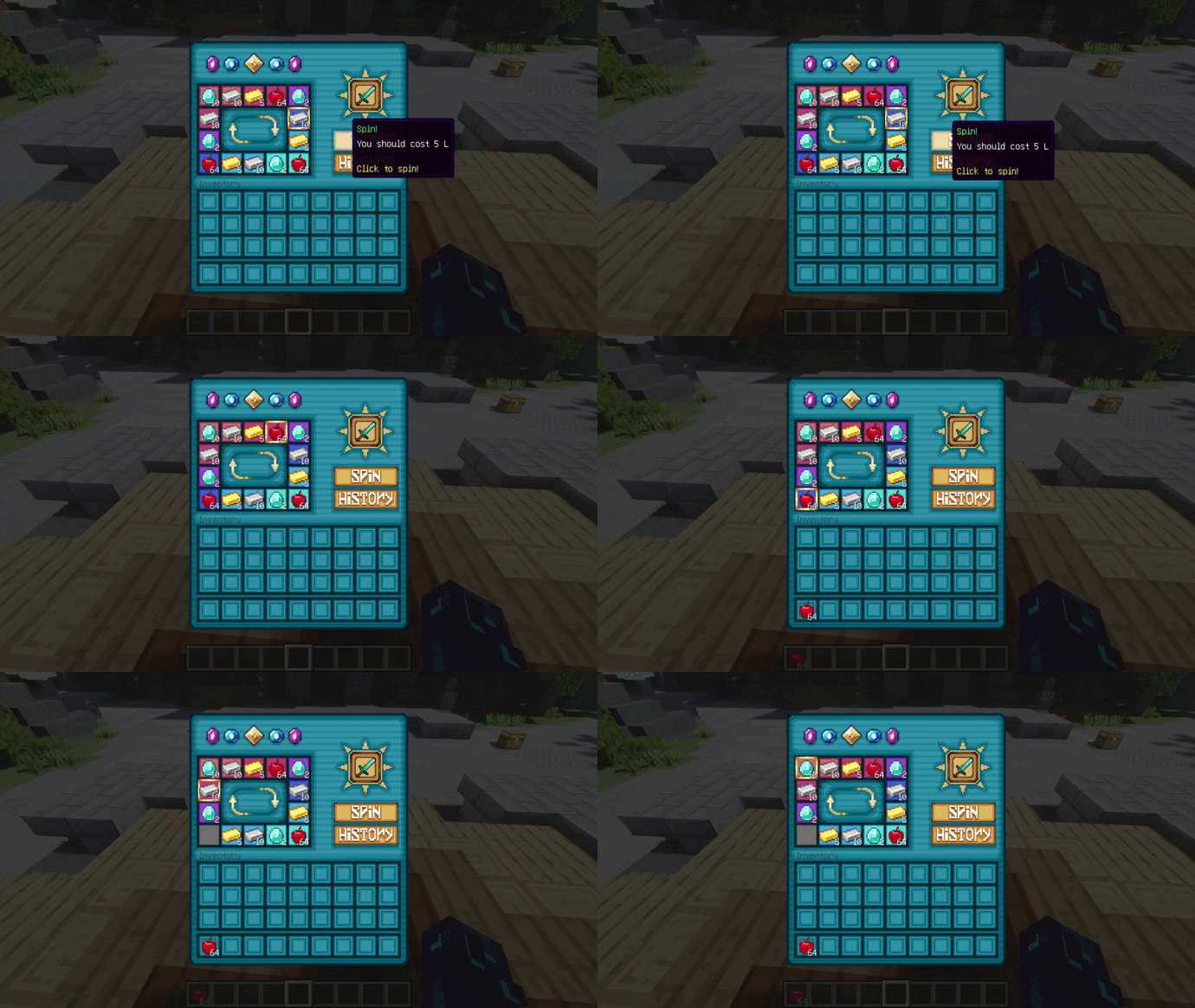
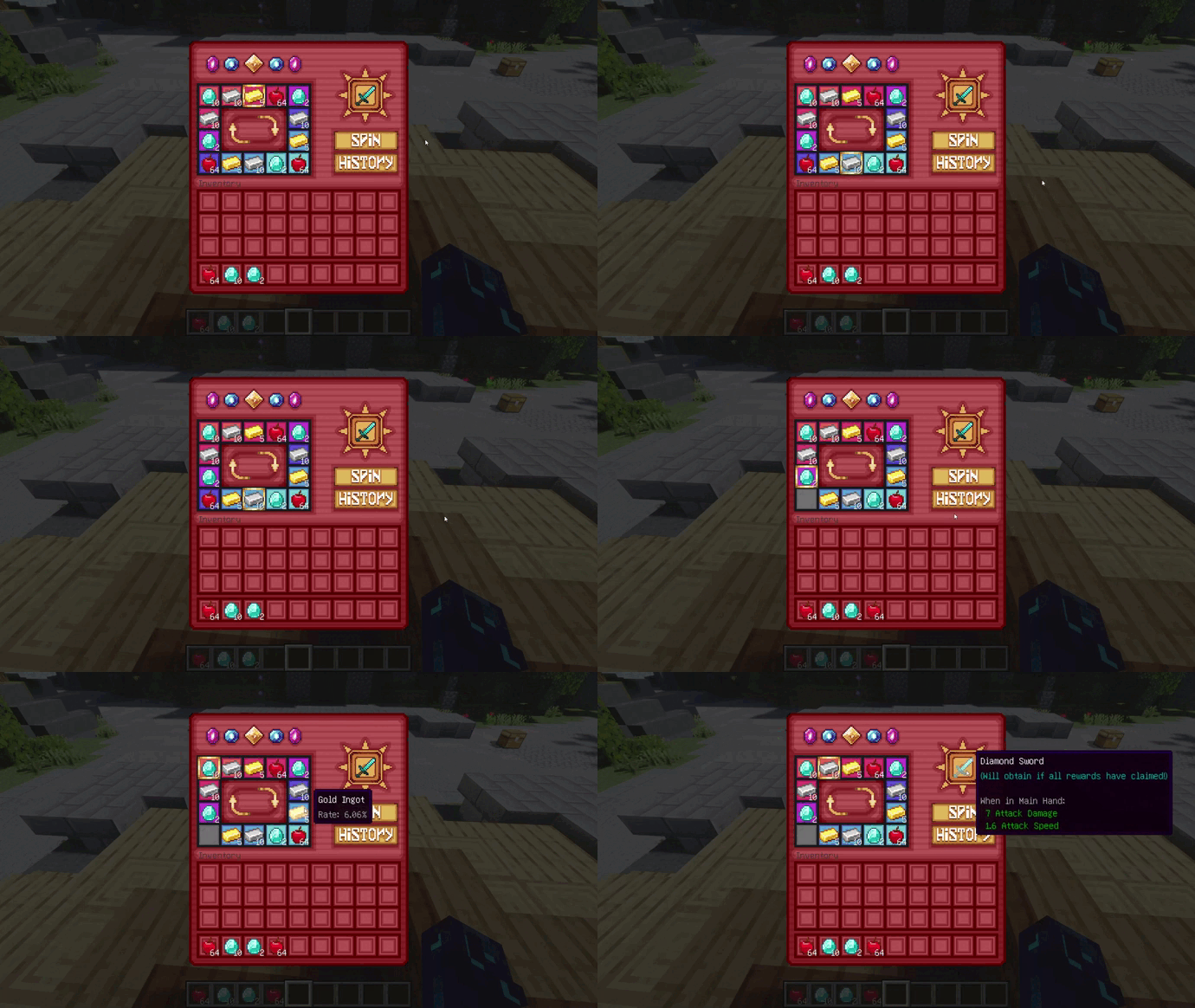
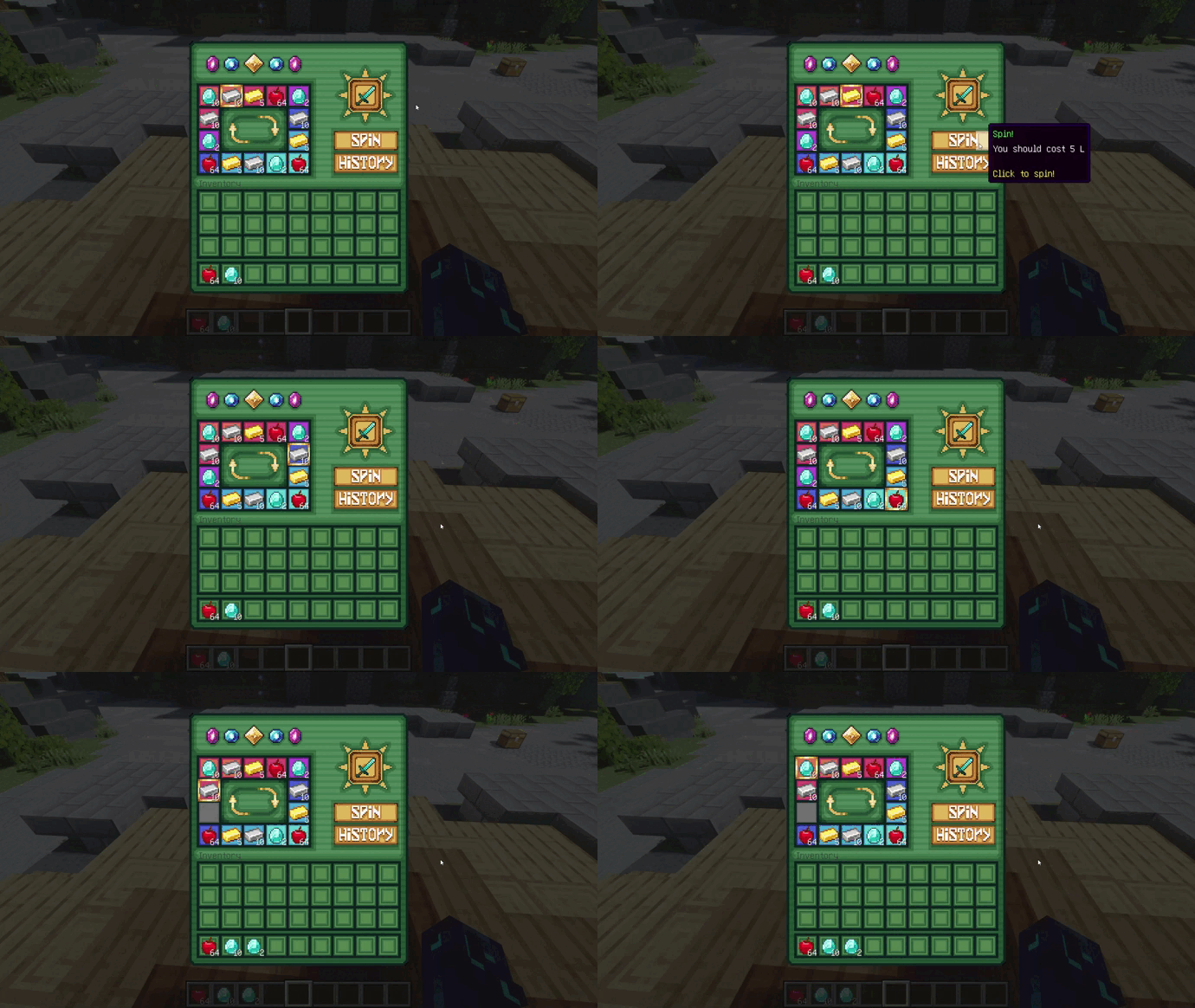
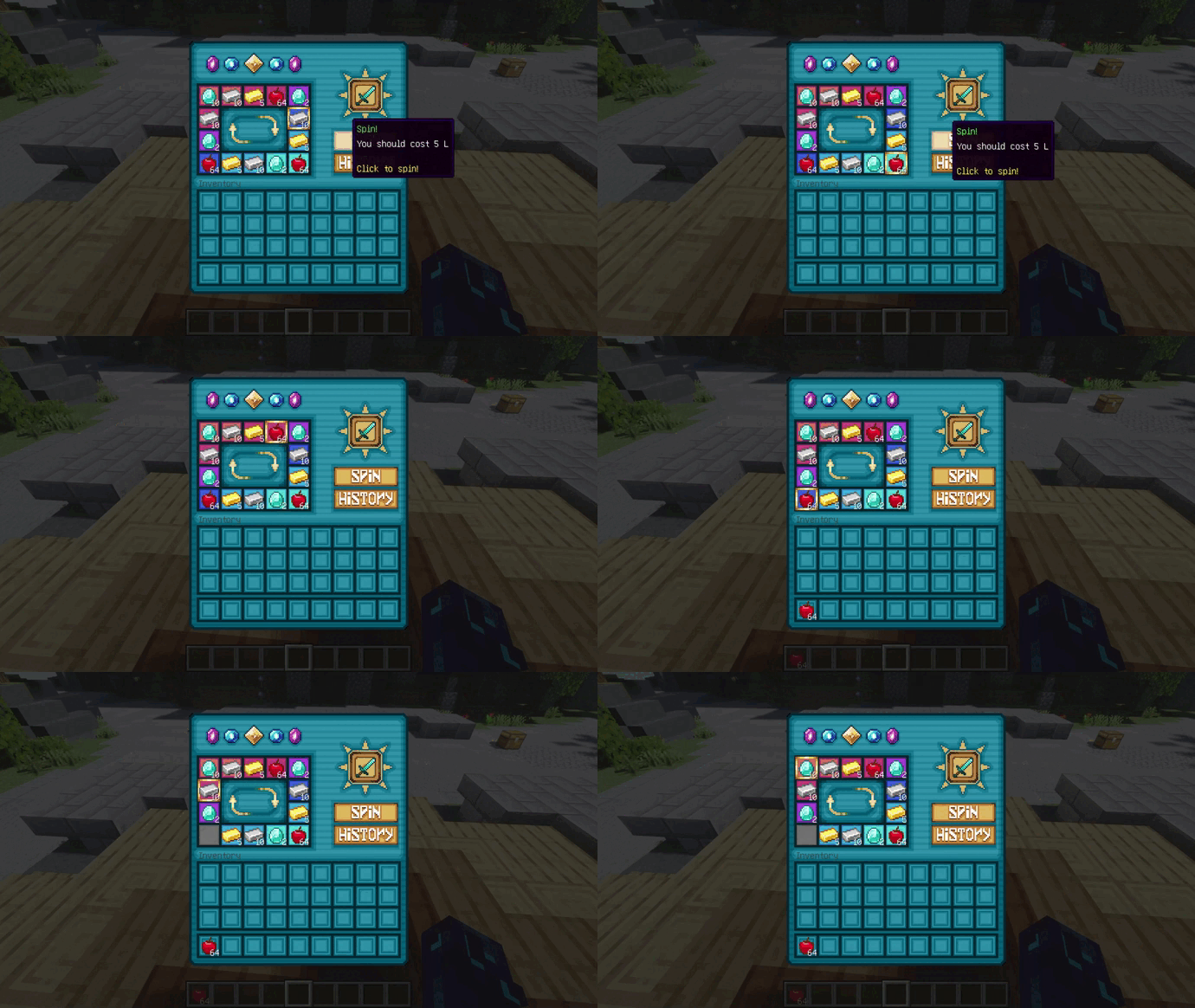
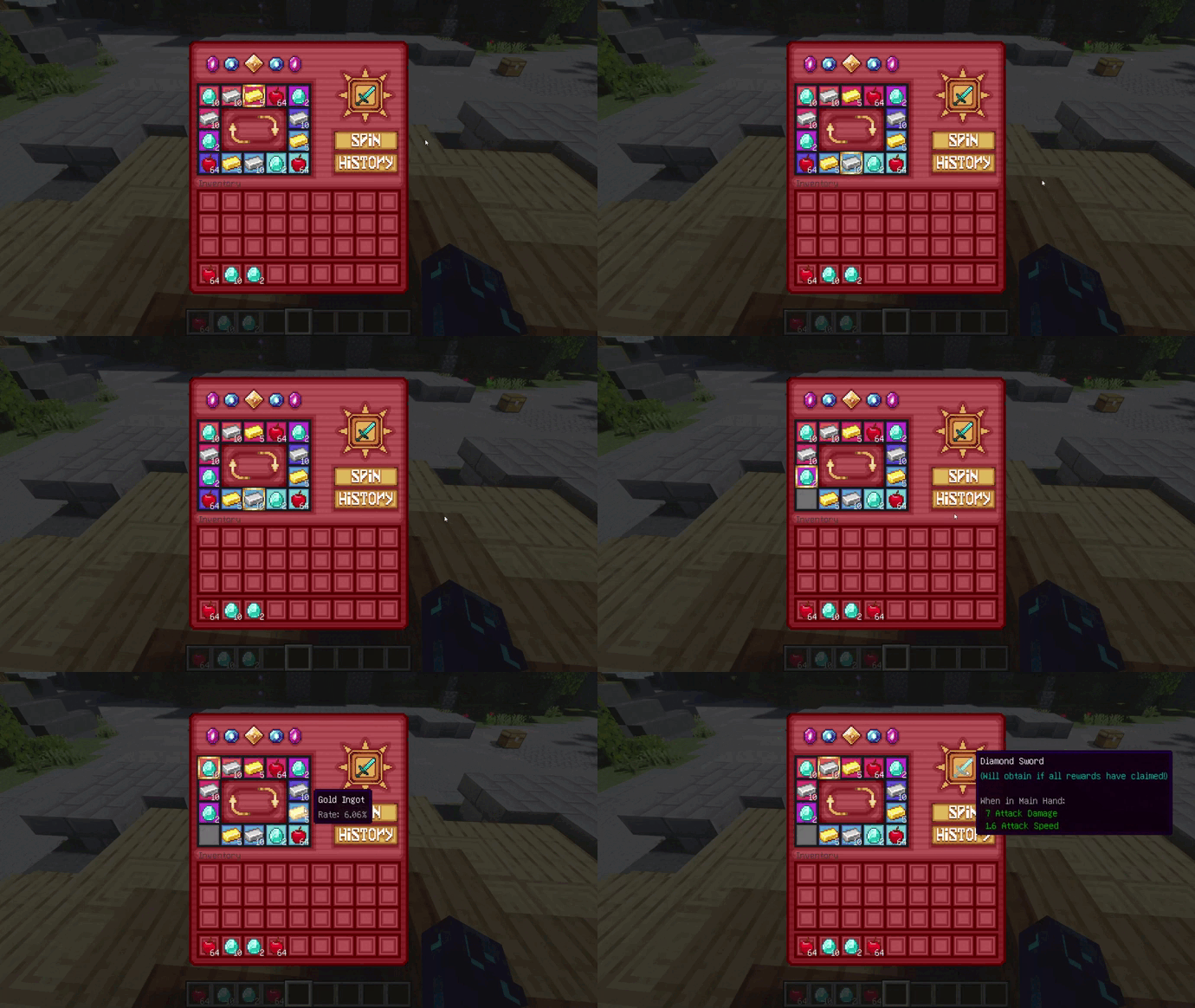
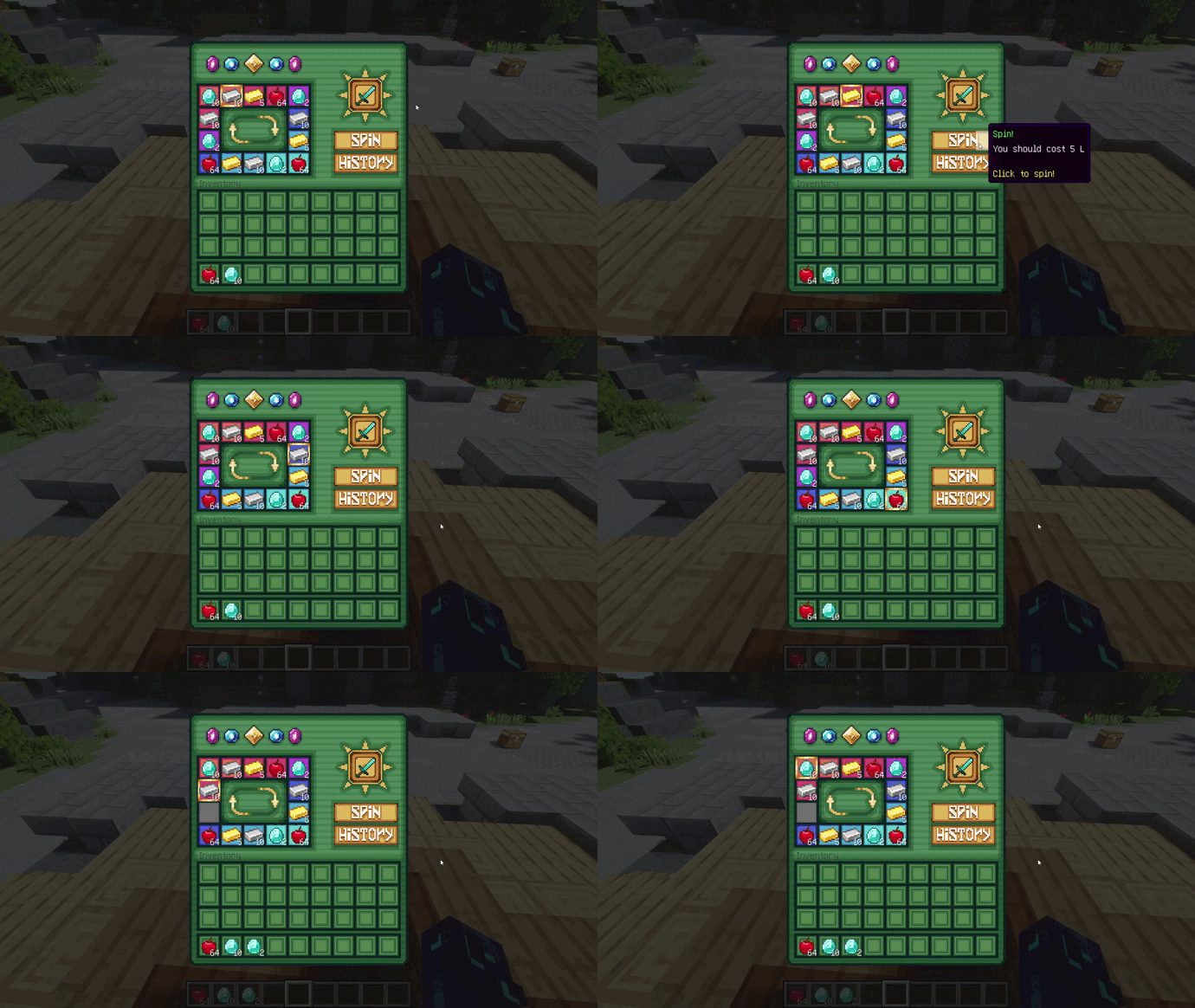
# 🎉Welcome
## Links
### Get the plugin
**Polymart:** [PREMIUM](https://polymart.org/resource/spintowin.371)
**BuiltByBit:** [PREMIUM](https://builtbybit.com/resources/spintowin-play-onekuji-in-your-minecra.27685/)
### Get support
* All users have an obligation to comply with our rules after joining the Discord server, which can be viewed in the rules channel. If you do not agree with our rules, you will not be able to receive our service support. Users who violate the rules will be punished according to the situation, including permanent ban.
* Every user is obligated to comply with our plugin terms of use. You can find these in the **LICENSE** file within the JAR file. We do not provide any assistance to users who fail to comply with the terms of use.
* Support is only available at our [Discord](https://discord.gg/rzajeybhbw) server.
* 因 Discord 在中国大陆区域不可用,如果您在中国大陆购买了此插件,可以凭购买的账号平台、名称,在此QQ群享受售后服务:815351827。
## Info
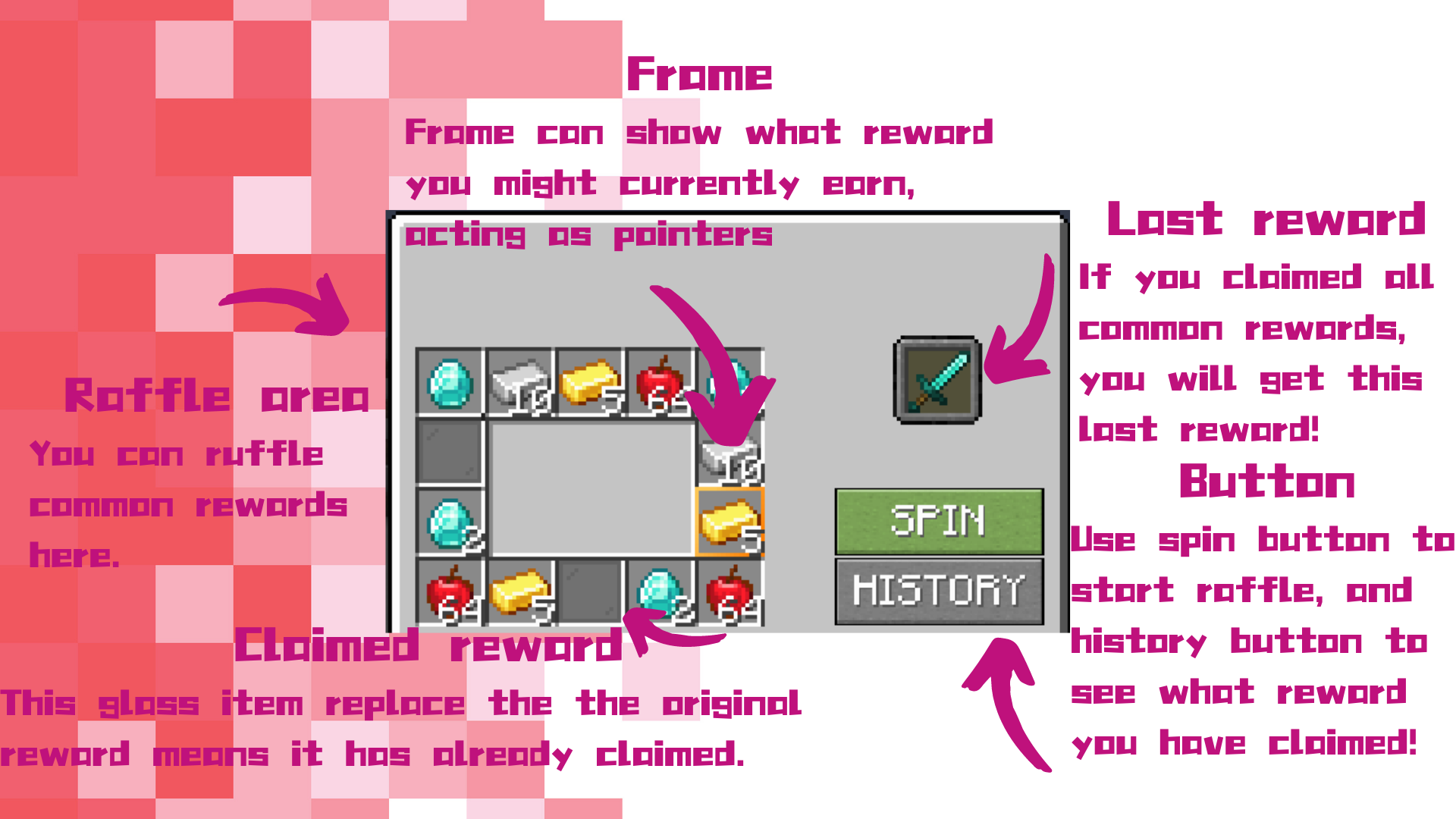
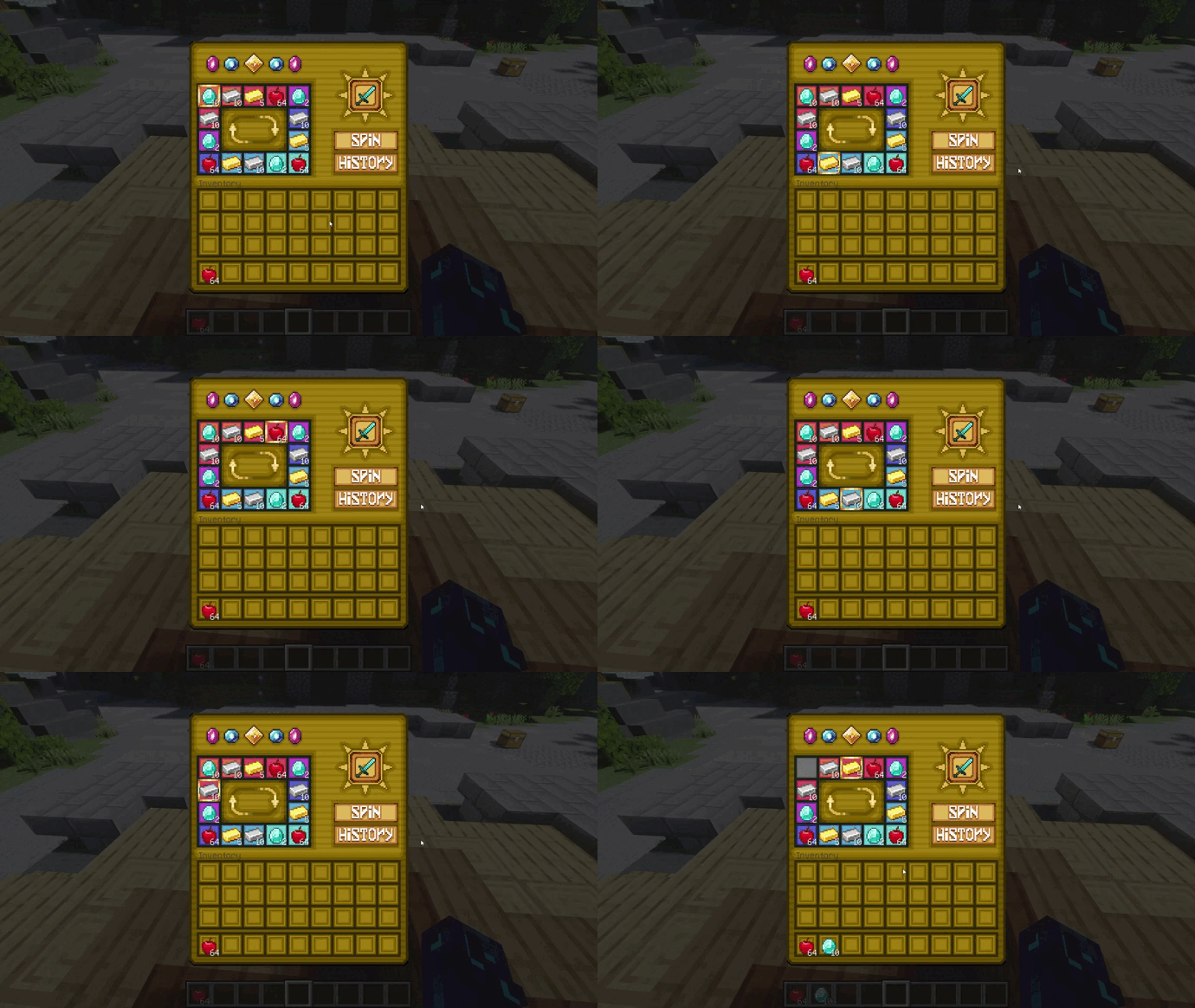
* SpinToWin is a crate-like plugin which provide spin animation with custom texture pack.
* Include 2 mode: normal and reserve mode. Normal mode's reward will be removed from reward pool after player has claimed them, so player can only get them one time, reserve mode is like normal crate plugin doing.
* Last reward! Player can get this reward after they have claimed all rewards (Normal mode), or spin specified times (Reserve mode).
* 15+ economy, item plugin and PlaceholderAPI hook, plugin can find the hook plugin item even their lore has changed! Like MMOItems dynamic stat, EcoItems placeholder support.
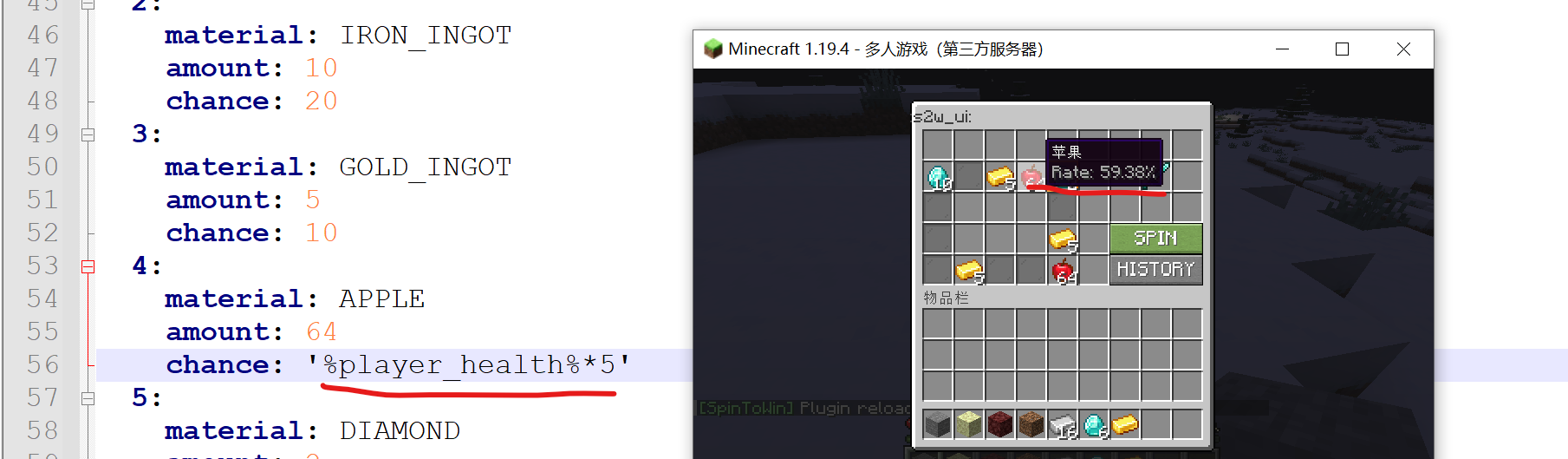
* Support dynamic rate, you can use math string and Placeholder in rates option. Like %player\_health%\*5!
* Rate and rewards based on conditions, different players can have different reward pool!
* Reset your player data, player can spin unlimited times by this way.
# ✅Requirements
## Java Version
* Basic Requirement: **Java17+**
## Server Software
| Server | Can work in your server | Can get offical support |
| --------------- | ------------------------------------------------------------------------------------------------------------------------- | ------------------------------------------------------------------------------------------------------------------------------------------------------------------------------------------------ |
| Spigot |
✅ Some features does not provide in Spigot servers
| ✅ |
| Paper/Purpur |
✅ Can provide subtle performance improvements.
| ✅ |
| Folia |
❓ Any problems only occurs in Folia servers may not be solved. Plugin is not designed for multi thread support.
|
❓
Folia's support is in the early testing stage and may be released in official versions or removed in the future. This support is not a guarantee.
|
| Other softwares | ❌ | ❌ |
## Resource Pack
* This plugin must be used in conjunction with **a resource pack**, which is automatically generated by the plugin. If your server has installed resource pack plugins such as **ItemAdder** and **Oraxen**, the plugins support [automatically merging resource pack](https://spintowin.superiormc.cn/features/auto-copy-resource-pack) into the resource packages of these plugins.
## Server Version
| Version | Can work in your server | Can ger offical support |
| -------------------- | ------------------------------------------------------------------------------------------------------------------------- | ----------------------- |
| **Below 1.14** | ❌ | ❌ |
| **1.14 \~ 1.20.4** |
❓ The plugin can run on these versions, however, any issues caused on these versions will not be resolved.
| ❌ |
| **1.20.5 and above** |
✅ Using versions 1.21.5 and above is the most recommended, as you can enjoy the best features.
| ✅ |
* If you encounter errors while using a certain version, please join our Discord feedback.
# ⚙️Install
## Plugin Install
* Put the `.jar` file into your server's `plugins` folder.
* Stop your server and then restart it. Cannot load plugins in any other way while the server is starting.
* When updating plugins, please be sure to remove old versions.
* When downgrading from **a new game version** to **an old version** on the server where the plugin is located, it is important to remove the `items` folder from the configuration file.
* When downgrading from **a new game version** to **an old version** on the server where the plugin is located, it is important to remove the `pack` folder from the configuration file.
* When using the [Localized Item Name](https://spintowin.superiormc.cn/features/localized-item-name) feature, it is important to note that when switching server game versions, the previously generated localized files need to be deleted.
* This plugin will generate resource pack at `pack` folder, you need install the resource pack to your client or using plugins like **ItemsAdder** or **Oraxen** to send the resource pack to client.
## Resource Pack Install
If you want to use custom frame and icon texture texture, please note:
* If your server don't have resource pack yet, just zip your pack folder and ask your players install it in their Minecraft client.
* ~~If your server use other resource pack plugin, you need merge these two resource packs first.~~
* Since plugin has added `auto-copy-resourcepack` option, you can now just write correct resource pack path there and don't need do anything!
Don't forget to check [Texture](https://spintowin.superiormc.cn/spin-ui/textures) page to know more about our resource pack!
### How to install resource pack?
First, you have to answer me a question: **Are you using resource pack plugins like ItemsAdder or Oraxen?**
If no, you must install the resource pack at Minecraft client.
* Open the game.
* At main menu, click **Options...** button.
* At options menu, click **Resource Packs...** button.
* Zip plugin's `/pack/` folder, then drag and drop it to this window.
* Click the new resource pack to add it to game.
* All is done, join your server and now you will see custom card textures!
If yes, you have to merge the two resource pack. For ItemsAdder and Oraxen plugin, we have auto merge feature. (Require enable `auto-copy-resourcepack.enabled` option in config.yml and set correct value at auto-copy-resourcepack config section)
* We use **Black\_dye** as material, if your other resource pack plugin does not use it as material, you just need copy and paste FlipCard's resource pack to the other plugin's resource pack.
* If your other resource pack plugin use it **Black\_dye** as material, you have to merge the two resource pack. This is a little complex, maybe [this site ](https://merge.elmakers.com/)can help you. What's more, you can also contact our staff to help you merge!
* **SpinToWin does not send the resource pack to players**, so you need use the other resource pack plugin to send the merged resource pack to players.
# 🔗Compatibility
The compatibility of plugins mainly includes hooks for **item plugins** and **economy plugins**. Unlike other plugins of the same type, we can support them regardless of their appearance.
## **Direct compatibility**
Direct compatibility refers to the use of item plugins or the economy of economic plugins directly in **ItemFormat** or **EconomyFormat**. This compatibility method is the simplest and officially supported.
### Directly supported item plugins list
* ItemsAdder
* Oraxen
* EcoItems
* EcoArmor
* MMOItems
* MythicMobs
* eco
* NeigeItems
* ExecutableItems
* Nexo
* CraftEngine
### Directly supported economy plugins list
* PlayerPoints
* CoinsEngine
* UltraEconomy
* EcoBits
* PEconomy
* RedisEconomy
* RoyaleEconomy
* VotingPlugin
The following provides an example of directly obtaining items from the **EcoItems** plugin through the direct compatibility feature in **ItemFormat** and using economy from **Vault** plugin in **EconomyFormat**:
```yaml
prices:
1:
free: true
placeholder: 'Free'
apply: [1,2,3]
2:
economy-plugin: Vault
amount: 5
placeholder: '5 Coins'
apply: [1,2,3,4,5,6]
3:
hook-plugin: EcoItems
hook-item: super_sword
amount: 3
start-apply: 8
```
## MythicChanger: Extra Item Format option
Through this hook, based on the [ItemFormat](https://ultimateshop.superiormc.cn/format/itemformat-tm), items can be further modified to their desired appearance.
This feature require your server must install **MythicChanger** plugin, please get it here:
**FREE:** [Click to download](https://www.spigotmc.org/resources/mythicchanger-match-and-modify-all-your-items-without-trouble-1-14-1-21.98523/)
**PREMIUM:** [Click to download](https://www.spigotmc.org/resources/mythicchanger-premium-match-and-modify-all-your-items-without-trouble-1-14-1-21.115913/)
For how to configure the `change-item` section, please read MythicChanger's wiki, [click here](https://simple.superiormc.cn/) to visit. Please note that some of the change rules require **PREMIUM version of MythicChanger, not PREMIUM version of UltimateShop**!
If you are using **premium version of MythicChanger**, it will allow you use custom NBT tag by adding nbt-xxx rule here. You can also use `/mc viewnbt` command to view the hold item NBT info.
```yaml
change-item:
set-name: '&fGood Diamond Sword'
```
## NBTAPI: Extra Item Format option
The format of this option is:
```yaml
nbt:
:
:
```
Supported NBT Type: '
* byte
* short
* int
* long
* float
* double
* string
For example:
```yaml
nbt:
string:
customNBT: 'Hello!'
int:
anotherNBTComponent.theNBTKey: 5
```
# 🛠️Configuration files
The plugin generates the following configuration files, some of which will only be generated after you first use this feature.
* `ui`: Save your card flop configurations.
* `item`: Save your custom items.
* `language`: Save language files.
* `pack`: Save the resource pack that automatically generated by the plugin.
* `texture`: Save your frame textures and icon textures.
* `generated-item-format.yml` file: When using the `/s2w generateeitemformat` command, we will parse the item you are holding into an **ItemFormat** and store the parsed **ItemFormat** content in this file.
* `XX_xx.json` file: Localized files automatically generated through [Localized Item Name](https://spintowin.superiormc.cn/features/localized-item-name) feature. The name of this file is determined based on the localized language you have set for this feature, but it usually ends in `. json`.
If you just want use the default frame and icon texture, you don't need care about the pack and texture folder.
## Config.yml file content
```yaml
# SpinToWin by @rzt1020 & @PQguanfang
#
# READ THE WIKI: spintowin.superiormc.cn
#
config-files:
language: english
minecraft-locate-file:
# After enable, we will autoload Minecraft locate file when we need know an item's locate name.
# It will make server little lag when loading this file because this file is very large.
enabled: true
generate-new-one: false
file: 'zh_cn.json'
# Paper only feature.
paper-api:
save-item: true
skull: true
use-component:
gui-title: false
message: false
check-permission-limit: false
# Item Price
item-price:
# Support Value: Bukkit, ItemFormat.
check-method: Bukkit
item-format:
ignore-key:
- 'lore'
- 'damage'
- 'tool.damage-per-block'
# Support Value: UUID, Name.
data-save-mode: UUID
math:
enabled: true
spin-ui:
add-lore:
# If set to true, we will add lore at first line.
# If set to false, we will add lore at last line.
at-first-or-last: false
common-reward:
- '&7Rate: %rate%%'
last-reward:
- '&3(Will obtain if all rewards have claimed!)'
# Set to -1 to disable cooldown system.
spin-button-cooldown: 20
can-not-close-when-spinning: false
auto-copy-resourcepack:
enabled: true
# If you are using Oraxen, please change this to Oraxen.
# Other plugins is OK, you just need put correct path in path option.
plugin: "ItemsAdder"
# If you are using Oraxen, please change this to "/pack/assets".
path: "/contents/spintowin/resourcepack/"
mysql:
enabled: false
host: localhost
port: 3306
user: root
pass: root
database: data
# Support local data only.
auto-save:
enabled: false
period-tick: 6000
hide-message: false
```
# ⌨️Commands
## Help
* /spintowin help - View plugin help.
## Open
* /spintowin open \ \[playerName] - Open specified spin UI.
* Require `spintowin.use.open` permission to use this command.
* Require `spintowin.use.open.` to use specified UI config.
* Require `spintowin.use.admin` permission to use playerName arg.
* Require `spintowin.admin.open.` to use specified UI config with use playerName arg.
## Reload
* /spintowin reload (or /s2w reload) - Reload configuration. Restart the server after replacing the plugin JAR; configuration reload does not load updated Java code.
* Require `spintowin.admin.reload` permission to use this command.
## Reset
* /spintowin reset \ \[playerName] - Reset specified spin UI data.
* Permission is similar to Open, just replace open to reset.
# 📋Format
The **Item Format**, **Action Format**, **Condition Format**, and **Math Calculation Format** provided by **SpinToWin** are almost identical to those in UltimateShop. Therefore, they will not be elaborated on in this wiki. Please refer to UltimateShop's wiki for a detailed introduction about them. Click [here](https://ultimateshop.superiormc.cn/format) to view.
## Features related to format different from UltimateShop
### Actions
Although the following actions exist in **UltimateShop**, they are not provided in MythicChanger because the author believes that adding them is unnecessary - most users will not use them, and adding them will only further waste the performance of most users' servers.
* `buy`
* `sell`
* `open-menu`
* `shop-menu`
* `connect`
### General Options for ActionFormat and ConditionFormat
SpinToWin don't provide any general options that exist in UltimateShop in ActionFormat and ConditionFormat.
### Placeholders provided in ActionFormat and ConditionFormat
SpinToWin supports those placeholders in ActionFormat and ConditionFormat that exist in UltimateShop.
* {display} - Reward item display name.
* {price} - Card price.
* {times} - The amount of command reward times the reward command executed.
* {player\_x}
* {player\_y}
* {player\_z}
* {player\_pitch}
* {player\_yaw}
* {player}
# ❓FAQ
## Getting errors after installing plugin?
* Are you using Java 17 run the server? SpinToWin requires Java 17 to run.
* Are your `config.yml` or other files update to lateset format? In some updates, we may breaks its format, you have to update it by yourself.
* Does MySQL successfully connected if you set `mysql.enabled` option to true?
* Check your `hook-plugin` and `economy-plugin` option in your rewards and prices option, are all of them successfully loaded in your server?
# 📝UI Config
You can find all UI configs at `/plugins/SpinToWin/ui` folder. Its UI name is same as the file name in this folder. For example, `ui.yml` file's \ arg is `example`.
**Free version can only load 1 spin UI, premium version don't have this limit.**
Here is an example of UI Conigs.
```yaml
gui:
title: ":offset_-8::s2w_ui:"
size: 45
history-gui:
title: ""
dynamic-size: true
slots: [9,10,11,12,13,22,31,40,39,38,37,36,27,18]
last-reward-slot: 16
reserve: false
replace:
material: gray_stained_glass_pane
amount: 1
name: "&3Acquired"
show-rate: true
frame: frame
# last-reward-times: 14
auto-settings:
reset-timer-after-first-spin: -1
reset-when-empty: true
close-when-empty: true
close-when-price-not-meet: false
empty-amount: 1
limits:
default: 100
vip: 200
limits-conditions:
vip:
1:
type: permission
permission: 'group.vip'
buttons:
spin:
icons: [spin_1,spin_2,spin_3]
slots: [33,34,35]
name: "&aSpin!"
lore:
- "&fYou should cost %price%"
- "&f"
- "%click%"
history:
icons: [history_1,history_2,history_3]
slots: [42,43,44]
name: "&fHistory"
lore:
- "&fCheck the rewards you have drawn."
last_reward:
material: DIAMOND_SWORD
amount: 1
rewards:
1:
material: DIAMOND
cmd: 0
name: '&eA赏'
lore:
- '&fLine1'
- '&fLine2'
actions:
1:
type: console_command
command: 'say %player% claimed A 赏!'
amount: 10
chance: 20
2:
material: IRON_INGOT
amount: 10
chance: 20
3:
material: GOLD_INGOT
amount: 5
chance: 10
4:
material: APPLE
amount: 64
chance: 10
5:
material: DIAMOND
amount: 2
chance: 5
6:
material: IRON_INGOT
amount: 10
chance: 20
7:
material: GOLD_INGOT
amount: 5
chance: 10
8:
material: APPLE
amount: 64
chance: 10
9:
material: DIAMOND
amount: 2
chance: 5
10:
material: IRON_INGOT
amount: 10
chance: 20
11:
material: GOLD_INGOT
amount: 5
chance: 10
12:
material: APPLE
amount: 64
chance: 10
13:
material: DIAMOND
amount: 2
chance: 5
14:
material: IRON_INGOT
amount: 10
chance: 20
prices:
1:
free: true
placeholder: 'Free'
apply: [1,2,3]
2:
economy-type: levels
amount: 5
placeholder: '5 Levels'
apply: [1,2,3,4,5,6]
3:
economy-type: exp
placeholders:
7: '6 Exp'
8: '7 Exp'
9: '8 Exp'
10: '9 Exp'
11: '10 Exp'
apply: [7,8,9,10,11]
cost: [6,7,8,9,10]
4:
hook-plugin: EcoItems
hook-item: super_sword
amount: 3
start-apply: 8
```
* gui.title: Spin UI title name.
* gui.size: Spin UI size, must be one number of `9, 18, 27, 36, 45, 54`.
* history-gui.title: History GUI title name.
* history-gui.dynamic-size: Whether history size is depand on claimed rewards amount or just same as `gui.size` value.
* slots: Reward display slots and the order in which the pointer advances. The default layout has 14 display slots, but the reward pool can contain more rewards. Larger pools scroll automatically; see [Reward Rotation and Spin Animation](https://spintowin.superiormc.cn/spin-ui/ui-config/reward-rotation).
* reserve: Set `true` to allow repeated rewards, or `false` to exclude claimed rewards from the current round. Pools larger than the display area retain all rewards and scroll through them.
* auto-settings.empty-amount: How many reward left than we think this spin UI is empy.
* auto-settings.reset-timer-after-first-spin: How many ticks after first spin we will auto reset data, set -1 to disable this feature.
* auto-settings.reset-when-empty: Whether plugin auto reset date when this spin UI rewards all claimed.
* auto-settings.close-when-empty: Whether plugin auto close UI when this spin UI rewards all claimed.
* auto-settings.close-when-price-not-meet: Whether plugin auto close UI when this players are not meet next spin cost.
* replace: With `reserve: false`, claimed rewards become this replacement item. Replacements still occupy entries in the display list and scroll with it. Without this section, claimed rewards are removed; reward rotation stops once the remaining display entries fit in the configured slots.
* frame: Frame name, see `config.yml`.
* show-rate: Whether to add a line of lore to the reward item to display its rate.
* limits: Set the maximum times of spin UI. **You must enable check-permission-limit option in config.yml file to use this feature.**
* limits.default: If player dont have any required permsision, they will use this limit.
* limits.\: Players who meet this condition will use this limit. For example:
```yaml
limits:
default: 10
vip: 20
limits-conditions:
vip:
1:
type: permission
permission: 'test.permission'
```
In this example, players who have test.permission permission will have 20 limits, otherwise they have only 10 limits.
* button: Button configs.
* button.icons: Button icon name, see `config.yml`.
* last-reward: The reward what will be claimed if players has claimed all normal rewards. See [Rewards Option](https://spintowin.superiormc.cn/spin-ui/ui-config/rewards-option) for more info.
* last-reward-slot: Last reward slot.
* last-reward-times: The spin number that triggers the last reward. By default, this is the larger of the initial reward count and the display slot count. For 20 rewards and 14 slots, it defaults to spin 20. The last reward and its display slot must also be configured. The legacy name `last_reward_times` remains supported.
* rewards: List of normal rewards. See [Rewards Option](https://spintowin.superiormc.cn/spin-ui/ui-config/rewards-option) for more info.
* prices: List of prices. See [Prices Option](https://spintowin.superiormc.cn/spin-ui/ui-config/prices-option) for more info.
* For rewards and prices option: Every of them have its ID number. All ID number should be a natural number starting from 1 and incrementing by 1.
## Custom Button
You can add more buttons as you want in your UI config, like:
```yaml
buttons:
spin:
icons: [spin_1,spin_2,spin_3]
slots: [33,34,35]
display: "&aSpin!"
lore:
- "&fYou should cost %price%"
- "&f"
- "%click%"
history:
icons: [history_1,history_2,history_3]
slots: [42,43,44]
display: "History"
lore:
- "&fCheck the rewards you have drawn."
test:
icons: [test]
slots: [18]
display: "Buy Key"
lore:
- "&fCheck here to know where can buy key."
actions:
1:
type: message
message: 'Buy spin key at https://www.example.com!'
```
In this example, we added test as new button.
* icons: Should be added in config.yml, in this example, we added test icon in config.yml, like:
```yaml
icon:
history_3: 70000
spin_1: 70001
spin_2: 70002
history_2: 70003
spin_3: 70004
history_1: 70005
test: 10000
```
* slots: Should be one of 9\~54 number, 0\~8 is forbidden.
* actions: The action will execute after click this button. Use **Action Format** here, for more info, please view [this page](https://spintowin.superiormc.cn/info/format).
# Rewards Option
Reward IDs must start at `1` and increase consecutively. You can configure more rewards than the UI has display slots. Hidden rewards remain eligible for selection and scroll into view during idle previews and spins. See [Reward Rotation and Spin Animation](https://spintowin.superiormc.cn/spin-ui/ui-config/reward-rotation).
## Item Format
Each reward must has item to display. Should use Item Format at [this](https://ultimateshop.superiormc.cn/base/item-format) page.
**Example:**
```yaml
1:
material: DIAMOND
cmd: 0
display: '&eA Reward'
lore:
- '&fLine1'
- '&fLine2'
# For command rewards, you should set this option to false.
# Otherwise, players will get both item you set here and also the commands reward.
give-item: true
# Random amount.
amount: 1~10
chance: 20
```
## General Options
Those options can be used in the 2 types of reward. **All of them except chance are optional.**
* chance(or rate): The chance of this reward. Can be set to any numbers, as our plugin will automatically calculate percentage.
You can also use rates option, you should write this option like this:
```yaml
rates:
default: 0.1
one_rates_condition: 0.4
```
This means default players will have 0.1 rate for this reward, players meet `one_rates_condition` condition(view rates-conditions option below) have 0.4 rate.
This rate supports PlaceholderAPI's placeholder and Math string, like this: **(You need enable check-math option in config.yml file to use Math string)**
* rates-conditions:
```yaml
rates-conditions:
one_rates_condition:
1:
type: world
world: 'OneWorld'
```
`one_rates_condition` is Condition ID, can write it at rates option which replace the permission. In this example, players who in OneWorld will have 0.4 rate.
Each condition id section should use **Condition Format**, for more info, please view [Format](https://spintowin.superiormc.cn/info/format) page.
* amount: The amount of reward items. Like `1`. You can also entry in the form of "`1~5`" which means the amount is random in the interval. (Added in 2.0.0)
* times: How many times the commands excute, can be used as random money amount. You can also entry in the form of "`1~5`" which means the times is random in the interval.
* give-item: Whether give the item to the player. Recommend set false if just want to use commands as reward. Like: `true`.
* actions: The action will actived after finish spin. Use **Action Format** here, for more info, please view [this page](https://spintowin.superiormc.cn/info/format).
# Reward Rotation and Spin Animation
The current development version supports reward pools larger than the UI display area. This works automatically with existing UI configurations and requires no new options. See [UI Config](https://spintowin.superiormc.cn/spin-ui/ui-config) for related settings and [Rewards Option](https://spintowin.superiormc.cn/spin-ui/ui-config/rewards-option) for reward items and weights.
## When rotation is enabled
The `slots` list defines the display area. The default layout contains 14 reward slots, but the limit is not hardcoded to 14:
```yaml
slots: [9,10,11,12,13,22,31,40,39,38,37,36,27,18]
```
Rewards rotate when the display list contains more entries than `slots`. Otherwise, the reward items remain stationary and the original pointer animation is used.
Rewards are displayed in numeric ID order. IDs under `rewards` must start at `1` and increase consecutively, for example from `1` to `20`.
## Idle preview
For a fresh pool of 20 rewards with 14 display slots:
1. Opening the UI initially shows rewards `1–14`.
2. Every 40 ticks, the window advances by one entry: `2–15`, then `3–16`, and so on.
3. The list wraps around, so a window can show reward `20` followed by `1–13`.
At the normal server rate of 20 TPS, 40 ticks is 2 seconds. Players can inspect the full pool without starting a spin. The idle preview does not play the spin movement sound.
The pointer advances in the order defined by `slots`, while rewards scroll in the opposite direction. With the default layout, the pointer moves clockwise and the rewards move counterclockwise. Custom layouts follow their own slot order.
## Spin animation
Starting a spin stops the idle preview. The winning reward is selected using the weights of the entire eligible pool, including rewards currently outside the display area.
Rewards and the pointer move in opposite directions on a shared beat:
| Phase | Movement timing |
| ------------- | --------------------------------------------------------- |
| Acceleration | The beat interval decreases from 6 ticks to 1 tick |
| Fast rotation | One beat per tick |
| Deceleration | The beat interval gradually increases, ending at 16 ticks |
At 20 TPS, 6 ticks, 1 tick, and 16 ticks correspond to approximately 0.3 seconds, 0.05 seconds, and 0.8 seconds. These are pointer movement intervals. Reward movement is distributed across the same beats according to its required number of steps; the two tracks can have different step totals.
Both tracks complete their final step on the same tick, with the winning reward directly under the pointer. A winner that was initially hidden scrolls into view as part of this animation. Rewards do not stop early while the pointer catches up.
These timings are built into the current animation. There are no new animation speed settings.
## Claimed rewards and repeatable pools
With `reserve: false`, claimed rewards are excluded from subsequent draws in the current round:
* With a `replace` section, claimed rewards become replacement items. These items still occupy entries in the display list and scroll with it. A pool that started with 20 rewards can therefore continue rotating even when fewer than 14 rewards remain eligible.
* Without a `replace` section, claimed rewards are removed from the display list. Reward rotation stops once the remaining entries fit in the display area.
With `reserve: true`, rewards remain eligible for repeated draws. Rewards beyond the display area remain in the pool and participate in rotation.
After a spin, the UI is regenerated using the existing reopening flow. The display window starts at the beginning of the updated list rather than retaining its previous scroll offset. Closing the UI or switching to the history view stops its idle preview task.
## Spin count and last reward
Remaining rewards are counted across the whole pool, so hidden entries are not treated as already claimed.
For a non-repeatable pool (`reserve: false`) containing 20 rewards and 14 display slots, the first draw is spin 1. The default last-reward spin number is the larger of the initial reward count and the slot count, so this pool defaults to spin 20.
You can explicitly set the last-reward spin number. Configure the reward and its display slot as well:
```yaml
last-reward-slot: 16
last-reward-times: 20
last-reward:
material: NETHER_STAR
amount: 1
name: "&6Last Reward"
```
## Testing
Copy the default `ui/example.yml` and name the copy `rotation_test_20.yml`. Keep its 14 display slots and rewards `1–14`, then add consecutive reward IDs `15–20` under `rewards`. Give these entries distinct materials or names so you can identify them during rotation and check the result.
To make every test spin free, replace the test UI's entire `prices` section with:
```yaml
prices:
1:
free: true
amount: 0
start-apply: 1
placeholder: "&aFree"
```
Place the configuration in the server's `plugins/SpinToWin/ui/` directory, then run:
```
/s2w reload
/s2w open rotation_test_20
```
Check the following:
* Leave the UI idle and confirm that initially hidden rewards scroll into view.
* Start spins at different preview positions and observe the fast middle phase, slower ending, and simultaneous final movement.
* Confirm that the reward under the pointer matches the reward actually granted.
* Draw repeatedly to check replacement or removal behavior and the configured last-reward spin number.
* Close and reopen the UI to check that the preview resumes normally without overlapping idle tasks.
To clear the current round's claimed-reward data and test again:
```
/s2w reset rotation_test_20
```
Use `/s2w reload` after editing UI configurations. Restart the server after replacing the plugin JAR; configuration reload does not load updated Java code.
# Prices Option
Prices option is a little complex, so I introduce it on a separate page.
**This option is optional, if you didn't add this, this means spin price is free.**
## Item Price
You can set item as price, should use Item Format at [this](https://ultimateshop.superiormc.cn/base/item-format) page.
**Example:**
```yaml
1:
material: APPLE
name: 'Magic Apple'
custom-model-data: 5
apply: [1,2]
amount: 10
placeholder: 'Magic Apple x10'
```
## Item Match - Require MythicChanger
Item Match has those options:
* match-rule: Determine the match rule of the price item.
For more info, please view [this page](https://spintowin.superiormc.cn/features/custom-item-match-method).
**Example:**
```yaml
1:
match-item:
items:
- 'ender_pearl'
has-name: true
apply: [1,2]
amount: 10
placeholder: 'Any named Ender Peral x10'
```
## Hook Economy
Hook economy has those options:
* economy-plugin: What plugin you want this price economy hook into, for now, **SpinToWin** supports `Vault, GamePoints, PlayerPoints, CoinsEngine, UltraEconomy`.
* economy-type: If economy plugin is multi-currency economy plugin, you have to type currency name here.
**Example:**
```yaml
1:
economy-plugin: Vault
# If you set Economy plugin to CoinsEngine, then:
# economy-plugin: CoinsEngine
# economy-type: Coin
# Yeah, you need add economy-type option here because its a multi-currency plugin.
# For this, players will always cost 5$.
amount: 5
placeholder: '$5'
apply: [1,2,3]
```
## Vanilla Economy
Vanilla economy has those options:
* economy-type: Supports `exp, levels`.
**Example:**
```yaml
1:
economy-type: levels
# In this example, player will cost different levels with different flip times.
placeholders:
3: '10 Levels'
4: '20 Levels'
cost: [10,20]
apply: [3,4]
```
## Custom
* match-placeholder: The PlaceholderAPI placeholder value we will check in this price.
* amount: The placeholder value must be greater than the amount you set here.
* take-actions: The action will execute after price is cost.
```yaml
1:
match-placeholder: '%player_health%'
placeholder: 'Health x1'
apply: [1,2]
amount: 10
take-actions:
1:
type: message
message: 'I steal your one health!'
```
## Free
Just set `free: true` here.
## General Options
Those options can be used in the 4 types of price. **All of them are optional.**
* amount: The amount of items or economy price values. Like `1`. If not set, plugin will set amount to 1.
* placeholder: Price display name at spin button. Like `Stone x5`. If not set, plugin will use default placeholder content that provided by language file.
* placeholders: Format is `apply times: placeholder content`.
Copy
```yaml
placeholders:
1: 'Stone x2'
2: 'Stone x5'
```
* start-apply: The number of usage times that price start applies. It is a number, if spin times more than this number, this price will be applied. `start-apply` is only work with `amount` option, does not support `cost` option.
* apply: The number of usage times that this price applies. It is an array, should be like `[1,2,3]`, this means that this price applies to your first, second, and third time spin. If not set, the plugin will automatically consider the ID of the price as the applicable times. (Added in 2.0.0)
* cost: Little same as amount, but this option corresponds to the number of times the apply option is applied one by one. Like `[10,20,30]`. If not set, plugin will use `amount` option value. (Added in 2.0.0)
* conditions: Players must meet certain conditions to use this price. You should write this option like this format:
```yaml
conditions:
:
-
```
For example:
```yaml
conditions:
1:
1:
type: permission
permission: 'group.default'
2:
1:
type: world
world: 'world'
2:
type: permission
permission: 'group.default'
```
You can also write this option like this format, this format means players should always meet those conditions, whatever the spin times.
```yaml
conditions:
1:
type: permission
permission: 'hi.hi'
```
Each condition id section should use **Condition Format**, for more info, please view [Format](https://spintowin.superiormc.cn/info/format) page.
### About apply and start-apply feature:
If you set reserve option to false in a UI config:
* Spin times = All rewards in spin UI - Claimed rewards in spin UI.
If you set reserve option to true in a UI config:
* Spin times always = 1 (before 2.3.0)
* Spin times = Spin button click times. **(after 2.3.0, and you set check-permission-limit option in config.yml to true, otherwise its same as before 2.3.0)**
**Warn: after you enable reserve option in UI config, all rewards will not disappear after player has claimed, and players can get them unlimited times.**
# 🎡Wheel UI
Wheel UI is a mouse-operated prize wheel. Players can inspect rewards, click a button to spin, and review their prizes on the history page. It supports equal or weighted sectors, with either a rotating wheel or a rotating pointer.
## Requirements
Install and enable **ArcMenu** on the server. Players must load both the ArcMenu and SpinToWin resource-pack assets. Mouse controls do not require a client mod.
Wheel assets are included in SpinToWin's default resource pack and are available in `plugins/SpinToWin/pack/` after startup or reload. Merge these assets into the resource pack provided to players. Changing rewards, weights or sector colors does not require recreating wheel textures.
## Opening a wheel
Wheel configurations are stored in `plugins/SpinToWin/wheels/`. The plugin includes these examples:
| File | Appearance and animation |
| -------------------- | ------------------------------------------------------------- |
| `example.yml` | Colorful equal sectors; rotating wheel, fixed pointer |
| `chance_pointer.yml` | Sectors sized by reward weight; rotating pointer, fixed wheel |
| `bedrock.yml` | Bedrock-style colors, a green spin button and beveled buttons |
```
/s2w open wheels/example
/s2w open wheels/chance_pointer
/s2w open wheels/bedrock
```
A wheel ID is `wheels/filename`, without `.yml`. For example, `festival.yml` uses `wheels/festival`. Files can also be placed in subdirectories, but their IDs still use only the filename, so wheel filenames must be unique. Inventory UIs and wheels keep separate player records.
Run `/s2w reload` after editing configurations. Restart the server after replacing the plugin JAR.
| Action | Command |
| ------------------------------ | -------------------------------------- |
| Open your wheel | `/s2w open wheels/example` |
| Open it for another player | `/s2w open wheels/example playerName` |
| Reset your wheel records | `/s2w reset wheels/example` |
| Reset another player's records | `/s2w reset wheels/example playerName` |
Opening a wheel requires `spintowin.use.open` and its wheel-specific permission, such as `spintowin.use.open.wheels/example`. See [Commands](https://spintowin.superiormc.cn/info/commands) for reset permissions and permissions to manage other players.
## Creating a wheel
Save the following as `plugins/SpinToWin/wheels/my_wheel.yml`, run `/s2w reload`, then open it with `/s2w open wheels/my_wheel`.
Each spin costs 4 emeralds. Rewards can be won repeatedly, with probabilities of 60%, 30% and 10%.
```yaml
gui:
title: '&6Lucky Wheel'
reserve: true
show-rate: true
wheel:
sector-mode: chance
rotation-mode: wheel
buttons:
spin:
name: '&aSpin!'
lore:
- '&7Cost: %price%'
- '%click%'
history:
name: '&fHistory'
close:
name: '&cClose'
prices:
1:
material: EMERALD
amount: 4
start-apply: 1
placeholder: '&a4 Emeralds'
rewards:
1:
material: IRON_INGOT
amount: 16
chance: 60
2:
material: GOLD_INGOT
amount: 8
chance: 30
3:
material: DIAMOND
amount: 2
chance: 10
```
IDs in both `rewards` and `prices` must start at `1` and increase consecutively. Omit `prices` for free spins. See [Rewards Option](https://spintowin.superiormc.cn/spin-ui/ui-config/rewards-option) and [Prices Option](https://spintowin.superiormc.cn/spin-ui/ui-config/prices-option) for item settings, command rewards, dynamic weights and other price types.
### Sector size and reward probability
| Setting | Value | Effect |
| --------------------- | --------- | -------------------------------------------------------------- |
| `wheel.sector-mode` | `equal` | Every displayed entry gets the same sector area; default |
| `wheel.sector-mode` | `chance` | Sector areas follow the weights of currently eligible rewards |
| `wheel.rotation-mode` | `wheel` | The wheel and rewards rotate; the pointer stays fixed; default |
| `wheel.rotation-mode` | `pointer` | The pointer rotates; the wheel and rewards stay fixed |
**Sector size does not change reward probability.** Switching the example above to `equal` gives each reward one third of the wheel, while their probabilities remain 60%, 30% and 10%. Dynamic weights are updated at the start of each spin.
Very small weights produce small sectors and icons in `chance` mode. Choose `equal` when you want every reward to be easy to see.
### Repeated rewards and the last reward
With `reserve: true`, rewards can be won repeatedly. With `reserve: false`, each reward can be claimed only once per round.
For a wheel without repeated rewards, add `replace` to keep a replacement icon for claimed rewards. This display applies only to `equal` mode; `chance` mode removes claimed sectors.
The following settings work with the three rewards above: each can be claimed once, and spin 3 also grants one diamond block as the last reward.
```yaml
reserve: false
replace:
material: BARRIER
name: '&7Acquired'
last-reward-times: 3
last-reward:
material: DIAMOND_BLOCK
amount: 1
```
`last-reward` defines the prize awarded, while `wheel.last-reward` controls its position and appearance. See [UI Config](https://spintowin.superiormc.cn/spin-ui/ui-config) for automatic resets, automatic closing and usage limits. To use `limits`, enable `check-permission-limit` in `config.yml`.
## Wheel layout and animation
```yaml
ui:
layout:
canvas:
width: 640
height: 400
renderers:
arcmenu:
screen-scale: 1.5
tooltip:
font-size: 1.1
wheel:
radius: 128
hub-radius: 14
item-size: 24
pointer-angle: -90
pointer-color: '#FFFFFF'
colors:
- '#C85A64'
- '#D5A64B'
- '#53A58E'
idle:
enabled: true
degrees-per-second: 6
spin:
duration: 160
turns: 5
```
| Setting | Description |
| ----------------------------------- | ------------------------------------------------------------------------------------------------------------------- |
| `ui.layout.canvas.width/height` | Logical canvas dimensions; default `640 × 400` |
| `ui.renderers.arcmenu.screen-scale` | Overall display scale; default `1.5`, range `0.75–2` |
| `ui.tooltip.font-size` | Tooltip font size; default `1.1`, range `0.5–2` |
| `wheel.center.x/y` | Wheel center coordinates; automatically positioned when omitted |
| `wheel.radius` | Wheel radius; default `128` |
| `wheel.hub-radius` | Center-cover radius; default `14` |
| `wheel.item-size` | Maximum reward icon size; default `24` |
| `wheel.pointer-angle` | Initial pointer angle; default `-90`, at the top |
| `wheel.pointer-color` | Pointer color |
| `wheel.colors` | Sector colors, cycled in reward order; uses a built-in palette when omitted |
| `wheel.idle.enabled` | Slowly rotate the disk while idle; default `true` |
| `wheel.idle.degrees-per-second` | Idle speed; default `6` degrees per second; positive is clockwise, negative is counterclockwise, `0` stops rotation |
| `wheel.spin.duration` | Spin animation duration; default `160` ticks, range `60–1200` |
| `wheel.spin.turns` | Minimum full revolutions per spin; default `5`, range `2–30` |
| `wheel.render.step` | Curve drawing step; default `5`, range `2–12`; smaller values give finer curves at a higher rendering cost |
At 20 TPS, 20 ticks equal one second. Both motion modes rotate the disk while idle; `rotation-mode` controls which part moves during a spin. The history page pauses idle rotation.
### Hover effects and sector borders
```yaml
wheel:
hover:
enabled: true
scale: 1.08
color: '#FFFFFF'
border:
enabled: false
color: '#FF66CC'
pointer-border:
enabled: false
color: '#3399FF'
```
`hover` controls highlighting and enlargement when the mouse points at a sector. The `scale` range is `1–1.3`. Tooltips show the reward name and Lore, including probability when `show-rate: true`. Hover effects pause during spins.
`hover.border` outlines the hovered sector. `pointer-border` outlines the sector under the pointer only in `rotation-mode: pointer`. Both borders are disabled by default; the hover border takes priority when they overlap.
### Button positions
Buttons form a column to the right of the wheel, centered vertically on the wheel center. Set a position and size for individual buttons with:
```yaml
buttons:
spin:
name: '&aSpin!'
lore:
- '&7Cost: %price%'
- '%click%'
wheel:
x: 430
y: 110
width: 160
height: 30
```
Coordinates start at the logical canvas's top-left corner; `x/y` locate the button's top-left corner. The wheel, last-reward panel and buttons are centered horizontally as a group, so manual coordinates primarily adjust their relative positions.
`spin`, `history` and `close` start a draw, open history and close the interface. Buttons with other names can run custom `actions`; see [Format](https://spintowin.superiormc.cn/info/format).
## Backgrounds and colors
Appearance colors accept `'#RRGGBB'` or `'#AARRGGBB'`. In the latter, the first two digits control opacity: `00` is fully transparent and `FF` is fully opaque. Quote color values in YAML.
```yaml
ui:
theme:
background-enabled: false
background: '#182332'
border: '#D6AB42'
text: '#FFFFFF'
title:
background-enabled: true
background: '#182332'
decoration-enabled: true
decorations:
enabled: true
page-enabled: false
style: both
color: '#5B5338'
corner-color: '#D6AB42'
thickness: 1
corner-thickness: 2
corner-length: 20
inset: 10
dividers-enabled: true
button:
background: '#354861'
hover: '#4D789C'
border: '#D6AB42'
text: '#FFFFFF'
text-align: center
font-size: 1
bevel:
enabled: false
tooltip:
background: '#182332'
border: '#D6AB42'
```
The main page background is disabled by default. The title background, title decorations and last-reward panel have independent switches; disabling the main background leaves them visible. History always uses `ui.theme.background`.
`decorations.style` accepts `frame`, `corners`, `both` or `none`. `page-enabled` controls the main page frame, and `dividers-enabled` controls history dividers. Set `decorations.enabled: false` to hide all decorations. Supported ranges are `0.5–6` for thickness, `0.5–8` for corner thickness, `0–80` for corner length and `0–30` for inset.
Button text supports `left`, `center` or `right` alignment and font sizes from `0.5–1.5`. Set `bevel.enabled: true` for raised edges, with optional `shadow`, `top`, `left`, `right` and `bottom` colors under `bevel`. See `wheels/bedrock.yml` for a Bedrock-style configuration.
## Last-reward panel
When `last-reward` is configured, its prize appears to the left of the wheel by default. Adjust its position, label, background, border and pulsing animation with:
```yaml
wheel:
last-reward:
x: 32
y: 208
label:
enabled: true
text: '&6Last Reward'
font-size: 0.8
background-enabled: true
background: '#182332'
border:
enabled: true
color: '#D6AB42'
animation:
enabled: true
mode: always
scale: 1.12
period: 40
```
`x/y` locate the item icon's center. Label font sizes range from `0.6–1.2`. When the panel's background color is omitted, it follows `ui.theme.background`.
Animation is enabled by default. `mode: always` plays continuously; `mode: spinning` plays only during draws. `scale` sets the maximum enlargement, from `1–1.5`, and `period` sets ticks per complete pulse, from `10–1200`. Disabling animation keeps the item visible at its original size.
## History and item quantities
Click the history button to view rewards claimed from the current wheel. Each page shows 18 rewards. Use the previous and next buttons to change pages, then the back button to return to the wheel.
Reward, last-reward and history icons show a quantity at the bottom-right when the displayed stack contains more than one item. This count represents the displayed item stack; command rewards use the amounts defined by their actions.
## Troubleshooting
### How do I convert an inventory UI to a wheel?
Copy the configuration into `wheels/`, open it with `wheels/filename`, use plain text for the title, and adjust the layout with the `wheel` settings on this page. Rewards, prices, usage limits and automatic resets can keep their existing formats.
`gui.size`, `slots`, `frame`, `last-reward-slot`, `buttons.*.icons` and `buttons.*.slots` are inventory settings and do not position wheel elements. History uses the wheel title and always shows 18 entries per page, so `history-gui.title` and `history-gui.dynamic-size` do not apply.
### Why won't the wheel open?
Check that ArcMenu is enabled, the wheel ID starts with `wheels/`, and the player has the required permissions. Run `/s2w reload` after configuration edits and check the console for configuration errors. Options such as `sector-mode` and `rotation-mode` must use the values listed on this page.
### Why are textures missing?
Check that the server resource pack includes both ArcMenu and SpinToWin assets, then have players download it again. SpinToWin's wheel assets are in `plugins/SpinToWin/pack/`.
### What happens if a player disconnects during a spin?
A draw that has already started settles using its selected result. Disconnecting or reloading the plugin does not reroll it.
# 🖼️Textures
## Add new icons textures:
* Put your new icon textures to `/plugins/SpinToWin/texture/icons` folder.
* Reload the plugin.
* Edit line at `config.yml` icons options with `` format if you need.
* Edit UI config `buttons.xxx.icons` option with file name.
* Reload the plugin and resource pack again.
* All is done.
## Add new frames textures:
* Put your new farme textures to `/plugins/SpinToWin/texture/frames` folder.
* Same as the icons textures steps.
## Regnerate new resource pack
* For new frame or icon texture: Just type `/s2w reload` command.
* For modify generated frame or icon texture: You need first delete those saved config in `config.yml` file then use the reload command. The config should be like this:
```yaml
icon:
history_3: 70000
expansion_history_3: 70001
expansion_history_2: 70002
expansion_history_1: 70003
spin_1: 70004
expansion_spin_3: 70005
spin_2: 70006
expansion_spin_2: 70007
history_2: 70008
spin_3: 70009
expansion_spin_1: 70010
history_1: 70011
frame:
expansion_frame_3: 70012
expansion_frame_2: 70013
frame_1: 70014
expansion_frame_4: 70015
frame_4: 70016
expansion_frame_1: 70017
frame_2: 70018
frame_3: 70019
```
## Example Pack For ItemsAdder.
{% file src="/files/qmi9wgu6IuX6ILxn97r1" %}
## Expansion Pack Vol.1
{% embed url="" %}
This also can be **FREE DOWNLOAD** at our [Discord](https://discord.gg/KA5A4JMzYc) if you have purchased **SpinToWin premium** version.
# 🎨Color Code
## Hex Color
To use hex color, you should use special color code, it should like this:
**\&#Hex color code**
For example, \&#ff0000.
## Gradient Color
To use gradient color, you should use special gradient color code, it should like this:
**&<#Start Color Code> Message &<#End Color Code>**
For example, &<#666666>UltimateShop &<#ffffff>
# 🌍Localized Item Name
## Requirements
* Server version 1.16+.
## Configs
* Open `config.yml` file, and fine below contents:
```yaml
config-files:
generate-default-files: true
language: en_US
minecraft-locate-file:
enabled: true
generate-new-one: true
file: 'zh_cn.json'
```
* Please set `minecraft-locate-file.enabled` option to true.
* Then also set `minecraft-locate-file.generate-new-one` option to true.
* Finally, set file option to your language locate file name. Support value:
* af\_za.json
* ar\_sa.json
* ast\_es.json
* az\_az.json
* ba\_ru.json
* bar.json
* be\_by.json
* bg\_bg.json
* br\_fr.json
* brb.json
* bs\_ba.json
* ca\_es.json
* cs\_cz.json
* cy\_gb.json
* da\_dk.json
* de\_at.json
* de\_ch.json
* de\_de.json
* el\_gr.json
* en\_au.json
* en\_ca.json
* en\_gb.json
* en\_nz.json
* en\_pt.json
* en\_ud.json
* enp.json
* enws.json
* eo\_uy.json
* es\_ar.json
* es\_cl.json
* es\_ec.json
* es\_es.json
* es\_mx.json
* es\_uy.json
* es\_ve.json
* esan.json
* et\_ee.json
* eu\_es.json
* fa\_ir.json
* fi\_fi.json
* fil\_ph.json
* fo\_fo.json
* fr\_ca.json
* fr\_fr.json
* fra\_de.json
* fur\_it.json
* fy\_nl.json
* ga\_ie.json
* gd\_gb.json
* gl\_es.json
* haw\_us.json
* he\_il.json
* hi\_in.json
* hr\_hr.json
* hu\_hu.json
* hy\_am.json
* id\_id.json
* ig\_ng.json
* io\_en.json
* is\_is.json
* isv.json
* it\_it.json
* ja\_jp.json
* jbo\_en.json
* ka\_ge.json
* kk\_kz.json
* kn\_in.json
* ko\_kr.json
* ksh.json
* kw\_gb.json
* la\_la.json
* lb\_lu.json
* li\_li.json
* lmo.json
* lo\_la.json
* lol\_us.json
* lt\_lt.json
* lv\_lv.json
* lzh.json
* mk\_mk.json
* mn\_mn.json
* ms\_my.json
* mt\_mt.json
* nah.json
* nds\_de.json
* nl\_be.json
* nl\_nl.json
* nn\_no.json
* no\_no.json
* oc\_fr.json
* ovd.json
* pl\_pl.json
* pt\_br.json
* pt\_pt.json
* qya\_aa.json
* ro\_ro.json
* rpr.json
* ru\_ru.json
* ry\_ua.json
* sah\_sah.json
* se\_no.json
* sk\_sk.json
* sl\_si.json
* so\_so.json
* sq\_al.json
* sr\_cs.json
* sr\_sp.json
* sv\_se.json
* sxu.json
* szl.json
* ta\_in.json
* th\_th.json
* tl\_ph.json
* tlh\_aa.json
* tok.json
* tr\_tr.json
* tt\_ru.json
* uk\_ua.json
* val\_es.json
* vi\_vn.json
* vp\_vl.json
* yi\_de.json
* yo\_ng.json
* zh\_hk.json
* zh\_cn.json
* zh\_tw\.json
* zlm\_arab.json
* Like I put `zh_cn.json` here. Start the server, the plugin will say it starting download the file.
* If sucessfully download, you will say new localized item name, like me:
## Problems
Do you have problems? Try:
* Delete the json file generated at `plugins/FlipCard` folder then regenerate this file.
* Did plugin print error message when generate the locate file? If yes, try restart the server and plugin will auto regenerate.
## Note
* **After generate this file, please keep generate-new-one option to false.**
* **If your server upgraded game version, you need delete old locate file and regenerate new one.**
* Server or plugin maybe lag when **first time** open the shop menu after restart the server, because we need build a cache for those localized item name. Under normal circumstances, you should not feel it unless you have a lot of products.
# 💾Saved Item
## Save your item
You can use command `/s2w save ` command to save your hold item. There are 2 methods to save item.
* Bukkit: Use BukkitAPI's method to save item. The method only support saving vanilla data and persistent data stored through BukkitAPI, and other custom NBT data from other plugins will not be saved.
* Paper: Use PaperAPI's method to save item, this new method can 100% save item data, no data will lose. **(Paper and 1.15+ server only)**
If you are Paper server users and don't want to use new Paper method one, you need open `config.yml` file and edit the `paper-api.save-item` option to `false`, then we will still use Bukkit method save item even you are running Paper servers.
## Use saved item
You can use saved item in [ItemFormat](https://ultimateshop.superiormc.cn/format/itemformat-tm). In ItemFormat, there is a option called `material`, by default, you need type vanilla item ID there, but, you can also use saved item id to let plugin directly get the saved item instead of generate a whole new item with that type.
```yaml
display-item:
material: superior_sword # If saved item id is 'superior_sword'
```
Saved items will be cached in memory continuously after loading to avoid repeatedly reading the saved item file, which may consume too much server performance. However, the cost is that if you have too many saved items, it may correspondingly consume more memory.
# 🔄Auto Copy Resource Pack
* Open `config.yml` file, and fine below contents:
```yaml
auto-copy-resourcepack:
enabled: true
# If you are using Oraxen, please change this to Oraxen.
# Other plugins is OK, you just need put correct path in path option.
plugin: "ItemsAdder"
# If you are using Oraxen, please change this to "/pack/assets".
path: "/contents/spintowin/resourcepack/"
```
* Please set `auto-copy-resourcepack.enabled` option to true.
* Please set `auto-copy-resourcepack.plugin` option to the resource pack you are using. Support **ALL** resource pack plugin.
* Please set auto-copy-resourcepack.path option to the directory for storing texture for this resource package plugin, for example:
* ItemsAdder: `/contents/spintowin/resourcepack/`
* Oraxen: `/pack/assets`
# 🔍Custom Item Match Method
## Default Item Match Method
### Vanilla Items
By default, we support two item price match method, they are:
* Bukkit: This match method require inventory's item must 100% same as the price item, if the item player has changed some thing, it can not be matched anymore. For example, add enchantments or change item name in anvil, they will change item's NBT info.
* ItemFormat: ItemFormat can set ignore list of item's vanilla NBT. If you add enchants and name in ignore list, then player can still use this item as price even the item has more enchantments or changed item name.
Example config:
```yaml
item-price:
# Support Value: Bukkit or ItemFormat.
# For each product, you can add match-item section to make custom match method, for more info, please view Wiki.
check-method: Bukkit
# Only support ItemFormat match method.
item-format:
require-same-key: false
ignore-key:
- 'lore'
- 'damage'
- 'enchants'
- 'tool.damage-per-block'
- 'nbt.CustomNBTKey'
```
For options in `item-format` section:
* require-same-key: This means that the items in the shop must have all the data of the items owned by the player.
* ignore-key: The list of ItemFormat™ Key that will be ignored when check whether items are same.
You can parse the ItemFormat of a handheld item by using the command `/fc generateeitemformat`, and the key can also be indented. For example, if you only want to ignore the sharpness enchantment and do not want to ignore other enchantments, you can fill in `enchants.sharpness` in ignore-keys option instead of `enchants`.
### Third-plugin Item
Items generated by [Supported Plugins](broken://pages/Ee0fZ4Z6Pl0L7sU8AVSa) will auto parse it's Item ID and compare it with the item ID you set in Item Format's `hook-item` option, so no matter how it changes, it will eventually match normally.
## Custom Match Method for each product - Require MythicChanger
Although the **ItemFormat** method described above solves the problem of items being modifiable, its flexibility is still insufficient. Therefore, this feature can help you set custom price match modes for each item price.
You can **add** a `match-item` section in the configuration of each **price**, which means that if the item meets this matching rule, it is considered match.
This feature require your server must install **MythicChanger** plugin, please get it here:
**FREE:** [Click to download](https://www.spigotmc.org/resources/mythicchanger-match-and-modify-all-your-items-without-trouble-1-14-1-21.98523/)
**PREMIUM:** [Click to download](https://www.spigotmc.org/resources/mythicchanger-premium-match-and-modify-all-your-items-without-trouble-1-14-1-21.115913/)
For how to configure the `match-item` section, please read MythicChanger's wiki, [click here to visit](https://mythicchanger.superiormc.cn/configs/match-item). Please note that some of the match rules require **PREMIUM version of MythicChanger.**
An example product config can be found at [this page](https://spintowin.superiormc.cn/spin-ui/ui-config/prices-option).
# 🎉欢迎
SpinToWin 是带有自定义资源包和转盘动画的抽奖插件。
## 获取插件
* **Polymart:**[高级版](https://polymart.org/resource/spintowin.371)
* **BuiltByBit:**[高级版](https://builtbybit.com/resources/spintowin-play-onekuji-in-your-minecra.27685/)
## 获取支持
* 加入 Discord 服务器后,所有用户都应遵守规则频道中的规定。不同意规则将无法获得支持,违反规则可能受到包括永久封禁在内的处罚。
* 使用插件需要遵守 JAR 内 `LICENSE` 文件中的使用条款。不遵守条款的用户无法获得支持。
* 售后支持通过 [Discord](https://discord.gg/rzajeybhbw) 提供。
* 因 Discord 在中国大陆区域不可用,如果您在中国大陆购买了此插件,可以凭购买的平台账号及名称,在 QQ 群 **815351827** 享受售后服务。
## 功能概览
* 支持普通模式与保留模式。普通模式中,本轮已领取奖励从可抽奖池移除;保留模式允许重复抽取。
* 支持最后赏:普通模式可在抽完奖励后领取,保留模式可在达到指定抽奖次数后领取。
* 支持自定义资源包、外框和按钮图标,以及[超过展示槽位数量的奖励轮转](https://spintowin.superiormc.cn/jian-ti-zhong-wen-2/zhuan-pan-ui/ui-pei-zhi/jiang-li-lun-zhuan)。
* 挂钩多种经济插件、物品插件和 PlaceholderAPI;第三方物品修改 Lore 后也可按插件物品 ID 匹配,包括 MMOItems 动态属性与 EcoItems 变量。
* 支持动态权重、数学表达式与 PlaceholderAPI 变量,例如 `%player_health%*5`。
* 支持条件权重和奖励配置,让不同玩家使用不同的奖池或概率。
* 可以重置玩家数据,重新开始一轮抽奖。
首次使用请从[运行要求](https://spintowin.superiormc.cn/jian-ti-zhong-wen-2/ji-ben-xin-xi/requirements)和[安装](https://spintowin.superiormc.cn/jian-ti-zhong-wen-2/ji-ben-xin-xi/an-zhuang)开始。
# ✅运行要求
## Java 版本
基本要求为 **Java 17 或更高版本**。同时需要满足服务端自身对 Java 版本的要求。
## 服务端软件
| 服务端 | 可运行情况 | 官方支持 |
| -------------- | ----------------------- | --------------------------------- |
| Spigot | 支持,部分功能不可用 | 支持 |
| Paper / Purpur | 支持,可提供部分性能改进和额外功能 | 支持 |
| Folia | 处于早期测试阶段,插件并非为多线程环境完整设计 | 不保证解决仅在 Folia 出现的问题,相关支持未来可能调整或移除 |
| 其他服务端 | 不支持 | 不提供支持 |
## 资源包
插件需要配合资源包使用,资源包由插件自动生成。使用 ItemsAdder、Oraxen 等资源包插件时,可配置[自动复制资源包](https://spintowin.superiormc.cn/jian-ti-zhong-wen-2/gong-neng/auto-copy-resource-pack),将生成的内容复制到这些插件的资源包目录中。
## 游戏版本
| 游戏版本 | 可运行情况 | 官方支持 |
| ----------- | -------------------------------- | ----- |
| 低于 1.14 | 不支持 | 不提供支持 |
| 1.14~1.20.4 | 可能运行,但不处理这些版本特有的问题 | 不提供支持 |
| 1.20.5 及以上 | 支持;英文版文档建议使用 1.21.5 及以上以获得更完整的功能 | 提供支持 |
如果某个版本运行时报错,请通过[支持渠道](https://spintowin.superiormc.cn/jian-ti-zhong-wen-2)反馈。
# ⚙️安装
## 安装插件
1. 停止服务器,将插件 JAR 放入服务端的 `plugins` 文件夹。
2. 更新插件时,移除旧版 JAR,避免同时存在多个版本。
3. 启动服务器。不要通过热加载工具加载插件。
4. 为客户端安装生成的资源包,或使用 ItemsAdder、Oraxen 等插件发送资源包。
插件会在 `plugins/SpinToWin/pack/` 生成资源包。**SpinToWin 本身不会向玩家发送资源包。**
从较新的游戏版本降级到旧版时,需要处理插件数据目录中原有的 `items` 和 `pack` 目录,避免沿用不兼容的数据。使用[本地化物品名称](https://spintowin.superiormc.cn/jian-ti-zhong-wen-2/gong-neng/localized-item-name)时,切换游戏版本后也需要删除旧的本地化 JSON 文件并重新生成。操作前请保留数据备份。
## 安装资源包
### 没有使用其他资源包插件
1. 将插件生成的 `pack` 文件夹内容打包为 ZIP,确保 `pack.mcmeta` 位于压缩包根目录。
2. 打开 Minecraft,在主菜单进入「选项」→「资源包」。
3. 将 ZIP 拖入资源包窗口,选择并启用它。
4. 进入服务器,检查转盘外框和图标是否正常显示。
### 使用 ItemsAdder、Oraxen 等插件
在 `config.yml` 中启用 `auto-copy-resourcepack.enabled`,并设置对应的插件名和目标路径,详见[自动复制资源包](https://spintowin.superiormc.cn/jian-ti-zhong-wen-2/gong-neng/auto-copy-resource-pack)。
插件使用 `BLACK_DYE` 承载外框和图标材质。如果其他资源包也修改了该物品,需要检查模型及 Custom Model Data 是否冲突,不能直接覆盖对方文件。英文版文档提供了[资源包合并工具](https://merge.elmakers.com/)作为参考;也可以通过支持渠道寻求帮助。
合并后,通过资源包插件向玩家发送最终资源包。自定义材质和重新生成资源包的步骤见[材质](https://spintowin.superiormc.cn/jian-ti-zhong-wen-2/zhuan-pan-ui/cai-zhi)。
## 更新后重载
修改配置后可执行 `/s2w reload`。替换插件 JAR 后必须重启服务器,配置重载不会加载新的 Java 代码。
# 🔗兼容性
插件主要提供物品插件与经济插件挂钩。物品挂钩可以根据原插件的物品 ID 匹配物品,避免物品名称或 Lore 变化后无法识别。
## 直接兼容
在物品格式或经济格式中直接填写插件名及物品、货币 ID,即可使用对应挂钩。
### 物品插件
* ItemsAdder
* Oraxen
* EcoItems
* EcoArmor
* MMOItems
* MythicMobs
* eco
* NeigeItems
* ExecutableItems
* Nexo
* CraftEngine
### 经济插件
* PlayerPoints
* CoinsEngine
* UltraEconomy
* EcoBits
* PEconomy
* RedisEconomy
* RoyaleEconomy
* VotingPlugin
也可以通过 Vault 对接其支持的经济插件。以下示例包含免费价格、Vault 价格和 EcoItems 物品价格:
```yaml
prices:
1:
free: true
placeholder: 'Free'
apply: [1,2,3]
2:
economy-plugin: Vault
amount: 5
placeholder: '5 Coins'
apply: [1,2,3,4,5,6]
3:
hook-plugin: EcoItems
hook-item: super_sword
amount: 3
start-apply: 8
```
## MythicChanger:额外物品格式选项
安装 MythicChanger 后,可以在[物品格式](https://ultimateshop.superiormc.cn/format/itemformat-tm)中添加 `change-item`,进一步修改生成的物品。
* [MythicChanger 免费版](https://www.spigotmc.org/resources/mythicchanger-match-and-modify-all-your-items-without-trouble-1-14-1-21.98523/)
* [MythicChanger 高级版](https://www.spigotmc.org/resources/mythicchanger-premium-match-and-modify-all-your-items-without-trouble-1-14-1-21.115913/)
具体规则见 [MythicChanger 文档](https://simple.superiormc.cn/)。部分规则需要 **MythicChanger 高级版**,购买 SpinToWin 或 UltimateShop 高级版并不等于拥有这些规则。
高级版还支持通过 `nbt-xxx` 规则处理自定义 NBT,并可使用 `/mc viewnbt` 查看手持物品的 NBT。
```yaml
change-item:
set-name: '&fGood Diamond Sword'
```
## NBTAPI:额外物品格式选项
安装 NBTAPI 后,可以使用以下结构添加 NBT:
```yaml
nbt:
:
:
```
支持 `byte`、`short`、`int`、`long`、`float`、`double`、`string` 类型。例如:
```yaml
nbt:
string:
customNBT: 'Hello!'
int:
anotherNBTComponent.theNBTKey: 5
```
# 🛠️配置文件
插件会在数据目录中生成下列文件和文件夹;部分文件只有首次使用对应功能后才会生成。
| 路径 | 用途 |
| --------------------------- | --------------------------------------------------------------------------------------------------------------------- |
| `ui/` | 转盘 UI 配置 |
| `item/` | 自定义保存物品,见[保存物品](https://spintowin.superiormc.cn/jian-ti-zhong-wen-2/gong-neng/saved-item) |
| `language/` | 语言文件 |
| `pack/` | 插件自动生成的资源包 |
| `texture/` | 转盘外框和图标的源材质 |
| `generated-item-format.yml` | 执行 `/s2w generateitemformat` 后,保存从手持物品解析出的物品格式 |
| `XX_xx.json` | [本地化物品名称](https://spintowin.superiormc.cn/jian-ti-zhong-wen-2/gong-neng/localized-item-name)生成的游戏语言文件,例如 `zh_cn.json` |
使用默认外框和图标时,无需手动修改源材质;客户端仍需要加载资源包。
## Config.yml
下面的示例与英文文档中的配置结构保持一致。配置项可能随插件版本调整,请以所用版本实际生成的 `config.yml` 为准。
```yaml
# SpinToWin by @rzt1020 & @PQguanfang
#
# READ THE WIKI: spintowin.superiormc.cn
#
config-files:
language: english
minecraft-locate-file:
# 启用后,在需要物品本地化名称时自动加载 Minecraft 语言文件。
# 文件较大,首次加载时可能出现短暂延迟。
enabled: true
generate-new-one: false
file: 'zh_cn.json'
# 仅 Paper 可用的功能。
paper-api:
save-item: true
skull: true
use-component:
gui-title: false
message: false
check-permission-limit: false
# 物品价格
item-price:
# 可选值:Bukkit、ItemFormat。
check-method: Bukkit
item-format:
ignore-key:
- 'lore'
- 'damage'
- 'tool.damage-per-block'
# 可选值:UUID、Name。
data-save-mode: UUID
math:
enabled: true
spin-ui:
add-lore:
# true 表示将附加 Lore 放在开头。
# false 表示将附加 Lore 放在末尾。
at-first-or-last: false
common-reward:
- '&7Rate: %rate%%'
last-reward:
- '&3(Will obtain if all rewards have claimed!)'
# 设为 -1 可禁用冷却。
spin-button-cooldown: 20
can-not-close-when-spinning: false
auto-copy-resourcepack:
enabled: true
# 使用 Oraxen 时,将插件名改为 Oraxen。
# 其他资源包插件也可用,需要填写正确的目标路径。
plugin: "ItemsAdder"
# 使用 Oraxen 时,将路径改为 "/pack/assets"。
path: "/contents/spintowin/resourcepack/"
mysql:
enabled: false
host: localhost
port: 3306
user: root
pass: root
database: data
# 仅本地数据可用。
auto-save:
enabled: false
period-tick: 6000
hide-message: false
```
* `config-files`:插件语言和 Minecraft 物品名称本地化设置。
* `paper-api`:Paper 专用物品保存、头颅和文本组件功能。
* `check-permission-limit`:启用转盘抽奖次数限制。
* `item-price`:物品价格匹配方式,详见[自定义物品匹配](https://spintowin.superiormc.cn/jian-ti-zhong-wen-2/gong-neng/custom-item-match-method)。
* `data-save-mode`:玩家数据使用 UUID 或名称作为标识。
* `math.enabled`:数学表达式处理。
* `spin-ui`:奖励附加 Lore、按钮冷却及抽奖时能否关闭界面。
* `auto-copy-resourcepack`:将资源包复制到其他插件目录,详见[自动复制资源包](https://spintowin.superiormc.cn/jian-ti-zhong-wen-2/gong-neng/auto-copy-resource-pack)。
* `mysql`、`auto-save`:英文配置示例中的数据库与自动保存设置;配置具体版本时请核对实际生成文件。
语言设置见下方说明,UI、奖励和价格分别见[UI 配置](https://spintowin.superiormc.cn/jian-ti-zhong-wen-2/zhuan-pan-ui/ui-pei-zhi)、[奖励配置](https://spintowin.superiormc.cn/jian-ti-zhong-wen-2/zhuan-pan-ui/ui-pei-zhi/jiang-li-pei-zhi)和[价格配置](https://spintowin.superiormc.cn/jian-ti-zhong-wen-2/zhuan-pan-ui/ui-pei-zhi/jia-ge-pei-zhi)。
## 语言文件
语言文件位于 `plugins/SpinToWin/language/`,例如 `zh_CN.yml` 和 `en_US.yml`。
### 选择语言
在 `config.yml` 中设置:
```yaml
config-files:
language: zh_CN
per-player-language: true
```
`language` 指定默认语言,`per-player-language` 控制是否按玩家语言选择翻译。修改语言文件后执行 `/s2w reload`。
### 语言文件结构
* `error`:错误提示。
* `help`:帮助文本,可以使用 YAML 多行字符串。
* `gui`:最后赏领取时的标题等界面提示。
* `plugin`:重载、保存物品、重置等操作提示。
* `placeholder`:抽奖按钮状态及价格等变量的默认文本。
* `override-lang`:供配置中的 `{lang:键名}` 使用的翻译内容。
例如:
```yaml
placeholder:
default-price: "%display% x%amount%"
click-true: "&e点击开始转盘!"
click-price-not-meet: "&c你没有足够的金钱或经验值!"
click-condition-not-meet: "&c条件不满足!"
click-limit-reached: "&c你已达到该转盘 UI 的最大限制!"
override-lang:
spin_button: "&a开始抽奖!"
price_free: "免费"
```
UI 配置可以使用 `name: "{lang:spin_button}"` 引用对应翻译。颜色语法见[颜色代码](https://spintowin.superiormc.cn/jian-ti-zhong-wen-2/gong-neng/color-code),可用变量见[内置变量符](https://spintowin.superiormc.cn/pages/gAxRZB8ZgR1X1jEB77yB#%E6%8C%89%E9%92%AE%E5%A5%96%E5%8A%B1%E4%B8%8E%E6%8F%90%E7%A4%BA%E5%8F%98%E9%87%8F)。
完整语言文件以当前插件实际生成的内容为准,修改时保留需要的键名和变量。
# ⌨️指令与权限
主指令为 `/spintowin`,可使用 `/s2w` 作为别名。
## 帮助
`/spintowin help`:查看插件帮助。
## 打开 UI
`/spintowin open [playerName]`:打开指定转盘。UI 名称为配置文件名,不含 `.yml`。
* 使用指令需要 `spintowin.use.open`。
* 为自己打开指定 UI,需要 `spintowin.use.open.` 或 `spintowin.use.open.*`。
* 为其他玩家打开 UI,需要 `spintowin.admin.open`。
* 控制台使用时必须提供在线玩家名称。
## 重载配置
`/spintowin reload` 或 `/s2w reload`:重载配置,需要 `spintowin.admin.reload`。
更新 JAR 后需要重启服务器,配置重载不会加载新的 Java 代码。
## 重置
`/spintowin reset [playerName]`:重置指定 UI 的玩家抽奖记录;不填写玩家名称时重置自己。
* 使用指令需要 `spintowin.use.reset`。
* 为自己重置指定 UI,需要 `spintowin.use.reset.` 或 `spintowin.use.reset.*`。
* 为其他玩家重置需要 `spintowin.admin.reset`。
* 控制台使用时必须提供在线玩家名称。
## 相关功能指令
* `/s2w save `:保存手持物品,见[保存物品](https://spintowin.superiormc.cn/jian-ti-zhong-wen-2/gong-neng/saved-item)。
* `/s2w generateitemformat`:将手持物品解析到 `generated-item-format.yml`,见[自定义物品匹配](https://spintowin.superiormc.cn/jian-ti-zhong-wen-2/gong-neng/custom-item-match-method)。
# 📋配置格式
SpinToWin 的**物品格式(Item Format)**、**动作格式(Action Format)**、\*\*条件格式(Condition Format)**和**数学表达式格式(Math Calculation Format)\*\*与 UltimateShop 基本一致。
通用语法详见 [UltimateShop 格式文档](https://ultimateshop.superiormc.cn/format)。以下列出 SpinToWin 的差异。
## 动作
SpinToWin 不提供下列 UltimateShop 专属动作:
* `buy`
* `sell`
* `open-menu`
* `shop-menu`
* `connect`
## 动作与条件的通用选项
SpinToWin 不提供 UltimateShop 中 ActionFormat 和 ConditionFormat 的额外通用选项。不要将商品或菜单专用配置直接套用到转盘中。
## 动作与条件中的变量
| 变量 | 含义 |
| ---------------- | --------- |
| `{display}` | 奖励物品显示名称 |
| `{price}` | 抽奖价格 |
| `{times}` | 指令奖励的执行次数 |
| `{player_x}` | 玩家 X 坐标 |
| `{player_y}` | 玩家 Y 坐标 |
| `{player_z}` | 玩家 Z 坐标 |
| `{player_pitch}` | 玩家俯仰角 |
| `{player_yaw}` | 玩家朝向角 |
| `{player}` | 玩家名称 |
抽奖按钮和奖励 Lore 中的百分号变量见下文,与动作和条件中的花括号变量区分使用。
## 按钮、奖励与提示变量
| 变量 | 用途 |
| ----------- | ------------------------- |
| `%price%` | 抽奖价格显示文本,在抽奖按钮中使用 |
| `%click%` | 抽奖按钮状态文本,如价格不足或可以抽奖 |
| `%uses%` | 玩家已记录的当前 UI 使用次数,在抽奖按钮中使用 |
| `%times%` | 当前 UI 对玩家的抽奖次数上限,在抽奖按钮中使用 |
| `%rate%` | 奖励实际抽中概率,用于奖励附加 Lore |
| `%display%` | 对应上下文中的物品显示名称 |
| `%amount%` | 对应上下文中的物品或价格数量 |
`%click%`、默认价格格式等文本在[语言文件](https://spintowin.superiormc.cn/pages/ht8BFaH2hDDZXT0rIn9j#%E8%AF%AD%E8%A8%80%E6%96%87%E4%BB%B6)中设置。动作与条件中的花括号变量见上文。
## PlaceholderAPI
安装 PlaceholderAPI 及对应扩展后,可以使用其变量。例如:
```
/papi ecloud download Player
```
随后可在支持 PlaceholderAPI 的配置位置使用 `%player_name%` 表示玩家名称。
## 条件示例
### 世界
```yaml
1:
type: world
world: 'world'
```
玩家位于指定世界时满足。需要多个世界或组合判断时,请按通用条件格式组织条件,不再使用旧版 `world: World1;;World2` 字符串。
### 权限
```yaml
1:
type: permission
permission: 'group.vip'
```
玩家拥有指定权限时满足。多个权限应使用多个条件节点。
### PlaceholderAPI 变量
```yaml
1:
type: placeholder
placeholder: '%player_points%'
rule: '>='
value: '200'
```
`placeholder` 是比较左值,`rule` 是比较规则,`value` 是比较右值。
| 规则 | 含义 |
| --------------------- | ------------ |
| `>=`、`>`、`=`、`<`、`<=` | 数值比较 |
| `==`、`!=` | 字符串相等或不相等 |
| `*=` | 左侧字符串包含右侧字符串 |
| `=*` | 右侧字符串包含左侧字符串 |
| `!*=`、`!=*` | 对应包含关系的否定 |
在价格中的放置方式见[价格配置](https://spintowin.superiormc.cn/pages/LKNeJuwsjksUvC14can0#%E4%BB%B7%E6%A0%BC%E6%9D%A1%E4%BB%B6),动态权重中的放置方式见[奖励配置](https://spintowin.superiormc.cn/pages/mZ8ZCkRRb7HUOb0mcTRA#%E5%8A%A8%E6%80%81%E6%9D%83%E9%87%8D)。
# ❓常见问题
## 安装后报错如何排查?
* 是否使用 Java 17 或更高版本,并满足当前服务端的 Java 要求?见[运行要求](https://spintowin.superiormc.cn/jian-ti-zhong-wen-2/ji-ben-xin-xi/requirements)。
* `config.yml` 和其他配置是否已更新为当前版本所需的格式?版本更新可能调整配置结构,需要按更新说明手动迁移。
* 如果启用了 MySQL,对应数据库是否连接成功?数据库配置应以实际生成文件为准。
* 奖励或价格中的 `hook-plugin`、`economy-plugin` 是否填写正确,对应插件是否已经在服务端成功加载?见[兼容性](https://spintowin.superiormc.cn/jian-ti-zhong-wen-2/ji-ben-xin-xi/compatibility)。
## 更新后动画没有变化?
替换 JAR 后请重启服务器。`/s2w reload` 只重载配置,不加载新的 Java 代码。奖励超过展示槽位数量时的行为见[奖励轮转与抽奖动画](https://spintowin.superiormc.cn/jian-ti-zhong-wen-2/zhuan-pan-ui/ui-pei-zhi/jiang-li-lun-zhuan)。
# 📝UI 配置
所有转盘配置位于 `plugins/SpinToWin/ui/`。指令中的 UI 名称就是文件名,不含 `.yml`;例如 `example.yml` 对应 `example`。
**免费版只能加载 1 个转盘 UI,高级版没有此限制。**
## 配置示例
以下示例与英文版 UI Config 的结构一致,使用 `gui.title`、`gui.size`、`history-gui`、`auto-settings` 等节点:
```yaml
gui:
title: ":offset_-8::s2w_ui:"
size: 45
history-gui:
title: ""
dynamic-size: true
slots: [9,10,11,12,13,22,31,40,39,38,37,36,27,18]
last-reward-slot: 16
reserve: false
replace:
material: gray_stained_glass_pane
amount: 1
name: "&3Acquired"
show-rate: true
frame: frame
# last-reward-times: 14
auto-settings:
reset-timer-after-first-spin: -1
reset-when-empty: true
close-when-empty: true
close-when-price-not-meet: false
empty-amount: 1
limits:
default: 100
vip: 200
limits-conditions:
vip:
1:
type: permission
permission: 'group.vip'
buttons:
spin:
icons: [spin_1,spin_2,spin_3]
slots: [33,34,35]
name: "&aSpin!"
lore:
- "&fYou should cost %price%"
- "&f"
- "%click%"
history:
icons: [history_1,history_2,history_3]
slots: [42,43,44]
name: "&fHistory"
lore:
- "&fCheck the rewards you have drawn."
last_reward:
material: DIAMOND_SWORD
amount: 1
rewards:
1:
material: DIAMOND
cmd: 0
name: '&eA赏'
lore:
- '&fLine1'
- '&fLine2'
actions:
1:
type: console_command
command: 'say %player% claimed A 赏!'
amount: 10
chance: 20
2:
material: IRON_INGOT
amount: 10
chance: 20
3:
material: GOLD_INGOT
amount: 5
chance: 10
4:
material: APPLE
amount: 64
chance: 10
5:
material: DIAMOND
amount: 2
chance: 5
6:
material: IRON_INGOT
amount: 10
chance: 20
7:
material: GOLD_INGOT
amount: 5
chance: 10
8:
material: APPLE
amount: 64
chance: 10
9:
material: DIAMOND
amount: 2
chance: 5
10:
material: IRON_INGOT
amount: 10
chance: 20
11:
material: GOLD_INGOT
amount: 5
chance: 10
12:
material: APPLE
amount: 64
chance: 10
13:
material: DIAMOND
amount: 2
chance: 5
14:
material: IRON_INGOT
amount: 10
chance: 20
prices:
1:
free: true
placeholder: 'Free'
apply: [1,2,3]
2:
economy-type: levels
amount: 5
placeholder: '5 Levels'
apply: [1,2,3,4,5,6]
3:
economy-type: exp
placeholders:
7: '6 Exp'
8: '7 Exp'
9: '8 Exp'
10: '9 Exp'
11: '10 Exp'
apply: [7,8,9,10,11]
cost: [6,7,8,9,10]
4:
hook-plugin: EcoItems
hook-item: super_sword
amount: 3
start-apply: 8
```
## 基础选项
| 选项 | 说明 |
| -------------------------- | ------------------------------------------ |
| `gui.title` | 转盘 UI 标题,可包含资源包字体字符或变量 |
| `gui.size` | 转盘大小,取 `9`、`18`、`27`、`36`、`45`、`54` 之一 |
| `history-gui.title` | 已领取奖励界面的标题 |
| `history-gui.dynamic-size` | 是否根据已领取奖励数量调整历史界面的大小;关闭后使用 `gui.size` |
| `slots` | 奖励展示槽位及指针前进顺序,不能使用第一行 `0~8` |
| `reserve` | `true` 允许重复抽取,`false` 表示本轮已领取奖励不再参与抽奖 |
| `replace` | `reserve: false` 时用于替换已领取奖励的物品;不配置则移除已领取奖励 |
| `frame` | 外框名称,来自 `config.yml` 的外框映射 |
| `show-rate` | 是否给奖励物品添加显示抽中概率的 Lore |
默认 UI 有 14 个展示槽位,但奖励数量可以超过槽位数量。超过后自动启用待机慢速轮转和抽奖时的反向旋转、同步减速,详见[奖励轮转与抽奖动画](https://spintowin.superiormc.cn/jian-ti-zhong-wen-2/zhuan-pan-ui/ui-pei-zhi/jiang-li-lun-zhuan)。
替代物品仍占据展示列表位置并参与轮转。不配置 `replace` 时,已领取奖励从列表移除,剩余展示数量不超过槽位数量后停止奖励轮转。
## 自动关闭与重置
| 选项 | 说明 |
| -------------------------------------------- | ----------------------------------------- |
| `auto-settings.empty-amount` | 判定奖池即将抽空时使用的剩余奖励数量;示例为 `1` |
| `auto-settings.reset-timer-after-first-spin` | 第一次抽奖后自动重置的计时,`-1` 为禁用;当前实现按秒读取,再转换为 tick |
| `auto-settings.reset-when-empty` | 奖池抽空时是否重置玩家数据 |
| `auto-settings.close-when-empty` | 奖池抽空时是否关闭 UI |
| `auto-settings.close-when-price-not-meet` | 玩家无法满足后续抽奖价格时是否关闭 UI;请核对所用版本实际支持的键名 |
## 次数限制
* `limits`:转盘的抽奖次数上限,需要在 `config.yml` 启用 `check-permission-limit`。
* `limits.default`:默认次数上限。
* `limits.<条件ID>`:满足对应条件时采用的次数上限。
* `limits-conditions.<条件ID>`:对应的条件格式配置。
```yaml
limits:
default: 10
vip: 20
limits-conditions:
vip:
1:
type: permission
permission: 'test.permission'
```
此例中,拥有 `test.permission` 权限的玩家上限为 20 次,其他玩家为 10 次。条件语法见[配置格式](https://spintowin.superiormc.cn/jian-ti-zhong-wen-2/ji-ben-xin-xi/format)。
## 按钮、奖励与价格
* `buttons`:按钮配置。`buttons.<按钮ID>.icons` 引用 `config.yml` 中登记的图标名称。
* `last-reward`:最后赏的物品配置,兼容旧名 `last_reward`。物品与动作格式见[奖励配置](https://spintowin.superiormc.cn/jian-ti-zhong-wen-2/zhuan-pan-ui/ui-pei-zhi/jiang-li-pei-zhi)。
* `last-reward-slot`:最后赏展示槽位。
* `last-reward-times`:触发最后赏的抽奖次数,兼容旧名 `last_reward_times`。不设置时,取初始奖励数量与展示槽位数量中的较大值;20 个奖励、14 个槽位时默认第 20 抽触发。最后赏本身及槽位也需要配置。
* `rewards`:普通奖励列表,见[奖励配置](https://spintowin.superiormc.cn/jian-ti-zhong-wen-2/zhuan-pan-ui/ui-pei-zhi/jiang-li-pei-zhi)。
* `prices`:抽奖价格列表,见[价格配置](https://spintowin.superiormc.cn/jian-ti-zhong-wen-2/zhuan-pan-ui/ui-pei-zhi/jia-ge-pei-zhi)。
奖励和价格 ID 均从 `1` 开始连续递增,不要跳号。
## 自定义按钮
可以在 `buttons` 下增加按钮,并通过 `actions` 设置点击后的动作:
```yaml
buttons:
spin:
icons: [spin_1,spin_2,spin_3]
slots: [33,34,35]
display: "&aSpin!"
lore:
- "&fYou should cost %price%"
- "&f"
- "%click%"
history:
icons: [history_1,history_2,history_3]
slots: [42,43,44]
display: "History"
lore:
- "&fCheck the rewards you have drawn."
test:
icons: [test]
slots: [18]
display: "Buy Key"
lore:
- "&fCheck here to know where can buy key."
actions:
1:
type: message
message: 'Buy spin key at https://www.example.com!'
```
上例增加了 `test` 按钮。对应图标也需要在 `config.yml` 登记,例如:
```yaml
icon:
history_3: 70000
spin_1: 70001
spin_2: 70002
history_2: 70003
spin_3: 70004
history_1: 70005
test: 10000
```
* `icons`:图标名称列表。
* `slots`:按钮所在槽位,不得使用第一行 `0~8`,且必须小于 `gui.size`。
* `actions`:点击后执行的动作,使用[动作格式](https://spintowin.superiormc.cn/jian-ti-zhong-wen-2/ji-ben-xin-xi/format)。
# 🎁奖励配置
奖励 ID 必须从 `1` 开始连续递增。奖励数量可以超过展示槽位数量,未显示的奖励同样参与抽奖,并通过待机和抽奖轮转进入展示区域,详见[奖励轮转与抽奖动画](https://spintowin.superiormc.cn/jian-ti-zhong-wen-2/zhuan-pan-ui/ui-pei-zhi/jiang-li-lun-zhuan)。
## 物品格式
每个奖励都需要一个用于界面展示的物品,使用通用[物品格式](https://ultimateshop.superiormc.cn/base/item-format)配置。可以使用原版物品、[已保存物品](https://spintowin.superiormc.cn/jian-ti-zhong-wen-2/gong-neng/saved-item)和[兼容物品插件](https://spintowin.superiormc.cn/jian-ti-zhong-wen-2/ji-ben-xin-xi/compatibility)提供的物品。
```yaml
1:
material: DIAMOND
cmd: 0
display: '&eA Reward'
lore:
- '&fLine1'
- '&fLine2'
# 仅指令奖励时,将此选项设为 false。
# 否则玩家同时获得展示物品和动作奖励。
give-item: true
# 随机数量。
amount: 1~10
chance: 20
```
`give-item: false` 表示只执行奖励动作,不将展示物品发给玩家;否则玩家可以同时获得物品和动作奖励。
## 通用选项
除概率权重外,下列选项均可按需设置。
* `chance` 或 `rate`:奖励权重。实际概率为此奖励权重除以整个可抽奖池的总权重,插件自动计算百分比。
* `amount`:发放物品数量,支持 `1~5` 这样的随机区间。
* `times`:奖励动作中可用的执行次数值,支持随机区间。
* `give-item`:是否发放展示物品,默认 `true`。仅指令奖励应设置为 `false`。
* `actions`:中奖后执行的动作,使用[动作格式](https://spintowin.superiormc.cn/jian-ti-zhong-wen-2/ji-ben-xin-xi/format)。新版使用此节点,不再沿用旧文档的字符串 `commands` 列表。
例如,通过控制台发放经济奖励可以在 `actions` 中配置 `type: console_command` 及对应的 `command`。命令语法由实际使用的经济插件决定。
## 动态权重
可以使用 `rates` 按条件设置权重:
```yaml
rates:
default: 0.1
one_rates_condition: 0.4
```
`default` 是默认权重;满足 `rates-conditions.one_rates_condition` 时,使用对应权重。权重支持 PlaceholderAPI 变量和数学表达式;请核对当前版本主配置中的数学功能设置。
```yaml
rates-conditions:
one_rates_condition:
1:
type: world
world: 'OneWorld'
```
此例中,位于 `OneWorld` 的玩家满足 `one_rates_condition`。每个条件节点使用[条件格式](https://spintowin.superiormc.cn/jian-ti-zhong-wen-2/ji-ben-xin-xi/format),不能继续使用旧版 `- 'world: OneWorld'` 写法。
# 🔄奖励轮转与抽奖动画
当前开发版支持在奖励数量超过展示槽位数量时,循环展示整个奖池。无需新增配置项,已有 UI 配置可以继续使用。相关选项见 [UI 配置](https://spintowin.superiormc.cn/jian-ti-zhong-wen-2/zhuan-pan-ui/ui-pei-zhi),奖励物品和权重见 [奖励配置](https://spintowin.superiormc.cn/jian-ti-zhong-wen-2/zhuan-pan-ui/ui-pei-zhi/jiang-li-pei-zhi)。
## 启用条件
展示槽位由 UI 配置中的 `slots` 决定。默认 UI 有 14 个展示槽位,但程序并没有将数量固定为 14。
```yaml
slots: [9,10,11,12,13,22,31,40,39,38,37,36,27,18]
```
当奖励展示列表的数量大于 `slots` 的数量时,自动启用奖励轮转;否则奖励保持静止,沿用原来的指针抽奖动画。
奖励按数字编号排序。`rewards` 的编号需要从 `1` 开始连续递增,例如 `1` 到 `20`。
## 打开 UI 后的展示
以 20 个奖励、14 个展示槽位为例:
1. 刚打开 UI 时显示奖励 `1~14`。
2. 每隔 40 tick 移动一格,依次显示 `2~15`、`3~16`,直到奖池末尾后循环。
3. 跨过末尾时可以显示 `20、1~13`,因此玩家无需抽奖即可查看整个奖池。
在正常 20 TPS 下,40 tick 为 2 秒。待机时不播放抽奖移动音效。
指针沿 `slots` 的列表顺序前进,奖励沿相反方向轮转。在默认布局中,指针顺时针,奖励逆时针;自定义布局的实际方向取决于 `slots` 的排列顺序。
## 点击抽奖后的动画
抽奖开始时,停止待机轮转,并根据整个可抽奖池的权重确定中奖奖励。奖励是否正在展示,不影响它参与抽奖。
奖励与指针使用共同节拍反向旋转,动画分为三个阶段:
| 阶段 | 节奏 |
| -- | ------------------------- |
| 起步 | 移动间隔从 6 tick 逐步缩短到 1 tick |
| 中段 | 保持每 1 tick 一个节拍 |
| 收尾 | 移动间隔逐步延长,最后达到 16 tick |
正常 20 TPS 下,6 tick、1 tick、16 tick 分别约为 0.3 秒、0.05 秒、0.8 秒。这些时间表示指针移动节拍,奖励按照各自需要完成的步数分配到相同节拍中;双方总步数可以不同。
双方最后一步安排在同一个 tick,结束时中奖奖励正好位于指针对应的槽位。即使中奖奖励起初在展示区域之外,也会通过轮转进入展示区域,不需要先停住奖励,再让指针追过去。
上述节奏是当前程序内置的行为,没有新增动画速度配置项。
## 已领取奖励与重复抽奖
`reserve: false` 时,已领取奖励不再参与后续抽奖:
* 配置了 `replace`:已领取奖励会变为替代物品,替代物品仍占据展示列表位置,并参与展示轮转。例如原来有 20 个奖励,即使剩余可抽奖励不足 14 个,仍可能继续轮转。
* 未配置 `replace`:已领取奖励从展示列表移除。剩余展示数量不超过槽位数量后,奖励停止轮转。
`reserve: true` 时,奖励保留在奖池中,可以重复抽取;超过展示槽位数量的奖励也会保留并参与轮转。
抽奖结束后,UI 按现有流程重新生成,展示窗口从新的展示列表开头开始,不保留之前的轮转偏移。关闭 UI 或切换到历史界面时,停止当前界面的待机轮转任务。
## 抽奖次数与最后赏
超过展示槽位数量的奖池按完整可抽奖池计算剩余奖励,避免将隐藏奖励误当作已经抽完。
对于 `reserve: false` 的 20 奖励、14 槽位奖池,第一次抽奖为第 1 次。未显式配置最后赏次数时,默认次数取初始奖励数量与槽位数量中的较大值,因此此例默认在第 20 次触发最后赏。
可以继续显式指定最后赏次数;最后赏本身及其展示槽位也需要配置:
```yaml
last-reward-slot: 16
last-reward-times: 20
last-reward:
material: NETHER_STAR
amount: 1
name: "&6最后赏"
```
## 测试方法
复制默认的 `ui/example.yml`,改名为 `rotation_test_20.yml`。保留原有的 14 个展示槽位,在 `rewards` 下保留 `1~14`,并增加连续编号的 `15~20`。给这些奖励使用不同的物品或名称,方便核对展示和落点。
为了连续免费测试,可以将该测试 UI 的整个 `prices` 节点替换为:
```yaml
prices:
1:
free: true
amount: 0
start-apply: 1
placeholder: "&a免费"
```
将测试配置放在服务器的 `plugins/SpinToWin/ui/` 目录中,然后执行:
```
/s2w reload
/s2w open rotation_test_20
```
建议检查以下行为:
* 不点击抽奖,等待数次待机轮转,确认最初未展示的奖励也能看到。
* 在不同的待机轮转位置开始抽奖,观察中段加速与收尾减速,以及奖励和指针的同步停止。
* 核对指针停靠的奖励与实际发放的奖励是否一致。
* 连续抽取,检查替代物品或奖励移除行为,以及最后赏是否在设定次数触发。
* 关闭界面后重新打开,确认展示正常且没有叠加的待机轮转任务。
需要清除本轮领取记录并重新测试时,执行:
```
/s2w reset rotation_test_20
```
更新 UI 配置可以使用 `/s2w reload`。更新包含动画代码的插件 JAR 后,需要重启服务器,配置重载不会加载新的 Java 代码。
# 💰价格配置
在 UI 的 `prices` 中配置抽奖消耗。价格 ID 从 `1` 开始连续递增。无需消耗时,可以配置[免费价格](#免费)。
## 物品价格
使用[物品格式](https://ultimateshop.superiormc.cn/base/item-format)指定消耗的原版物品、已保存物品或第三方插件物品。
```yaml
1:
material: APPLE
name: 'Magic Apple'
custom-model-data: 5
apply: [1,2]
amount: 10
placeholder: 'Magic Apple x10'
```
## 自定义物品匹配:需要 MythicChanger
在价格中设置 `match-item`,指定可用于支付的物品规则,详见[自定义物品匹配](https://spintowin.superiormc.cn/jian-ti-zhong-wen-2/gong-neng/custom-item-match-method)。
```yaml
1:
match-item:
items:
- 'ender_pearl'
has-name: true
apply: [1,2]
amount: 10
placeholder: 'Any named Ender Peral x10'
```
此例允许使用符合规则的已命名末影珍珠,不要求它与一个固定物品完全一致。
## 第三方经济
* `economy-plugin`:经济插件名称;可用插件见[兼容性](https://spintowin.superiormc.cn/jian-ti-zhong-wen-2/ji-ben-xin-xi/compatibility)。
* `economy-type`:多货币插件的货币 ID。使用 CoinsEngine 等插件时,需要填写正确的货币名。
```yaml
1:
economy-plugin: Vault
# 如果使用 CoinsEngine,则填写:
# economy-plugin: CoinsEngine
# economy-type: Coin
# 多货币插件需要指定 economy-type。
# 此例消耗 5 个货币单位。
amount: 5
placeholder: '$5'
apply: [1,2,3]
```
## 原版经验与等级
`economy-type` 支持 `exp` 和 `levels`,分别表示经验点数与经验等级。
```yaml
1:
economy-type: levels
# 此例按抽奖次数消耗不同经验等级。
placeholders:
3: '10 Levels'
4: '20 Levels'
cost: [10,20]
apply: [3,4]
```
此例在第 3、4 次抽奖分别消耗 10、20 级经验。
## 自定义价格
* `match-placeholder`:要检查的 PlaceholderAPI 变量或表达式。
* `amount`:变量值需要达到的最低值。
* `take-actions`:实际支付时执行的动作,使用[动作格式](https://spintowin.superiormc.cn/jian-ti-zhong-wen-2/ji-ben-xin-xi/format)。
```yaml
1:
match-placeholder: '%player_health%'
placeholder: 'Health x1'
apply: [1,2]
amount: 10
take-actions:
1:
type: message
message: 'I steal your one health!'
```
该示例检查生命值并执行消息动作;如需实际扣除生命值或其他数值,需要配置能够完成扣除的动作。
## 免费
使用 `free: true`。如果希望从第一次起始终免费,可以配置:
```yaml
prices:
1:
free: true
amount: 0
start-apply: 1
placeholder: '免费'
```
## 通用选项
* `amount`:消耗物品数量或经济数值,默认 `1`。
* `placeholder`:在抽奖按钮 `%price%` 中显示的价格文本。不设置时使用语言文件提供的默认格式。
* `placeholders`:为不同抽奖次数设置不同文本,键为抽奖次数。
```yaml
placeholders:
1: 'Stone x2'
2: 'Stone x5'
```
* `start-apply`:从指定抽奖次数开始持续应用此价格,包含指定次数本身。此选项配合 `amount` 使用,不支持通过 `cost` 配置逐次价格。
* `apply`:适用的抽奖次数列表,例如 `[1,2,3]` 表示第 1、2、3 次。不设置时默认使用当前价格的 ID。
* `cost`:与 `apply` 逐项对应的消耗列表,例如 `apply: [1,2,3]` 配合 `cost: [10,20,30]`。不设置时使用 `amount`。
* `conditions`:使用此价格前必须满足的条件。
## 价格条件
可以按抽奖次数分别配置:
```yaml
conditions:
1:
1:
type: permission
permission: 'group.default'
2:
1:
type: world
world: 'world'
2:
type: permission
permission: 'group.default'
```
也可以设置始终需要满足的条件,不区分抽奖次数:
```yaml
conditions:
1:
type: permission
permission: 'hi.hi'
```
每个条件节点使用[条件格式](https://spintowin.superiormc.cn/jian-ti-zhong-wen-2/ji-ben-xin-xi/format)。旧中文文档中用字符串列表表示条件的方式不适用于此结构。
## apply 与 start-apply 对应的次数
`reserve: false` 时,当前待执行的抽奖次数为:
```
1 + max(展示槽位数量, 初始奖励数量) - 剩余可抽奖励数量
```
例如初始有 20 个奖励、14 个槽位,第一次为第 1 次,已领取 3 个后,下一次为第 4 次。隐藏奖励仍计入剩余可抽奖池。
`reserve: true` 时,使用玩家已记录的该 UI 使用次数加 1。当前抽奖流程在启用 `config.yml` 的 `check-permission-limit` 时更新使用次数;未启用且没有已有记录时,会继续按第 1 次选择价格。
开启 `reserve` 后奖励不会因领取而从奖池移除,玩家可以重复抽取。详见[奖励轮转与抽奖动画](https://spintowin.superiormc.cn/jian-ti-zhong-wen-2/zhuan-pan-ui/ui-pei-zhi/jiang-li-lun-zhuan)。
# 🎡Wheel UI
Wheel UI 是可用鼠标操作的转盘抽奖界面。玩家可以查看奖励、点击按钮抽奖,并在历史页查看已获得的奖励。转盘支持等分扇区、按中奖权重分配扇区,以及转盘旋转或指针旋转两种动画。
## 使用前准备
服务器需要安装并启用 **ArcMenu**,玩家需要加载 ArcMenu 和 SpinToWin 的资源包。鼠标操作无需安装客户端模组。
SpinToWin 的转盘素材包含在默认资源包中,启动或重载插件后可在 `plugins/SpinToWin/pack/` 找到。将这些素材合并到服务器提供给玩家的资源包中即可。修改奖励、权重或扇区颜色不需要重新制作转盘纹理。
## 打开轮盘
轮盘配置保存在 `plugins/SpinToWin/wheels/`,内置以下示例:
| 文件 | 样式与动画 |
| -------------------- | -------------------- |
| `example.yml` | 彩色等分转盘,转盘旋转、指针固定 |
| `chance_pointer.yml` | 扇区按奖励权重分配,指针旋转、转盘固定 |
| `bedrock.yml` | 基岩风格配色、绿色抽奖按钮和立体按钮边缘 |
```
/s2w open wheels/example
/s2w open wheels/chance_pointer
/s2w open wheels/bedrock
```
轮盘 ID 为 `wheels/文件名`,不包含 `.yml`。例如,`festival.yml` 对应 `wheels/festival`。配置也可以放在子目录中,但 ID 仍只取文件名,因此轮盘文件不能重名。普通背包 UI 与轮盘各自保存玩家记录。
修改配置后执行 `/s2w reload`;更换插件 JAR 后需要重启服务器。
| 操作 | 指令 |
| --------- | ------------------------------- |
| 打开自己的轮盘 | `/s2w open wheels/example` |
| 为指定玩家打开 | `/s2w open wheels/example 玩家名` |
| 重置自己的轮盘记录 | `/s2w reset wheels/example` |
| 重置指定玩家的记录 | `/s2w reset wheels/example 玩家名` |
打开轮盘需要 `spintowin.use.open` 和对应轮盘的权限,例如 `spintowin.use.open.wheels/example`。为其他玩家操作及重置记录的权限见[指令与权限](https://spintowin.superiormc.cn/jian-ti-zhong-wen-2/ji-ben-xin-xi/zhi-ling-quan-xian-jie-dian)。
## 创建轮盘
将以下内容保存为 `plugins/SpinToWin/wheels/my_wheel.yml`,执行 `/s2w reload`,再用 `/s2w open wheels/my_wheel` 打开。
这个轮盘每次消耗 4 个绿宝石,奖励可重复抽取,三种奖励的中奖概率分别为 60%、30% 和 10%。
```yaml
gui:
title: '&6幸运转盘'
reserve: true
show-rate: true
wheel:
sector-mode: chance
rotation-mode: wheel
buttons:
spin:
name: '&a开始抽奖'
lore:
- '&7消耗:%price%'
- '%click%'
history:
name: '&f抽奖记录'
close:
name: '&c关闭'
prices:
1:
material: EMERALD
amount: 4
start-apply: 1
placeholder: '&a4 个绿宝石'
rewards:
1:
material: IRON_INGOT
amount: 16
chance: 60
2:
material: GOLD_INGOT
amount: 8
chance: 30
3:
material: DIAMOND
amount: 2
chance: 10
```
`rewards` 和 `prices` 的编号都必须从 `1` 开始连续递增。省略 `prices` 即为免费抽奖。奖励物品、指令奖励、动态权重和其他价格类型见[奖励配置](https://spintowin.superiormc.cn/jian-ti-zhong-wen-2/zhuan-pan-ui/ui-pei-zhi/jiang-li-pei-zhi)与[价格配置](https://spintowin.superiormc.cn/jian-ti-zhong-wen-2/zhuan-pan-ui/ui-pei-zhi/jia-ge-pei-zhi)。
### 扇区面积与中奖概率
| 配置 | 可选值 | 效果 |
| --------------------- | --------- | ------------------ |
| `wheel.sector-mode` | `equal` | 每个展示条目的扇区面积相同,默认值 |
| `wheel.sector-mode` | `chance` | 扇区面积按当前可抽奖励的权重比例分配 |
| `wheel.rotation-mode` | `wheel` | 转盘与奖励旋转,指针固定,默认值 |
| `wheel.rotation-mode` | `pointer` | 指针旋转,转盘与奖励固定 |
**扇区面积不会改变中奖概率。** 例如,上方三个奖励即使改成 `equal`、各占三分之一盘面,中奖概率仍为 60%、30% 和 10%。动态权重会在每次抽奖开始时更新。
权重很小的奖励在 `chance` 模式下扇区和图标也很小;需要让所有奖励都容易看清时,可以选择 `equal`。
### 重复抽取与最后赏
`reserve: true` 允许重复获得奖励;`reserve: false` 时,已经获得的奖励在本轮内不能再次抽中。
在不可重复抽取的轮盘中,添加 `replace` 可以为已领取奖励保留替代图标。此显示方式仅适用于 `equal` 模式;`chance` 模式会移除已领取奖励的扇区。
以下配置可用于上方的三个奖励:每个奖励只抽取一次,第 3 次抽奖额外发放 1 个钻石块作为最后赏。
```yaml
reserve: false
replace:
material: BARRIER
name: '&7已获得'
last-reward-times: 3
last-reward:
material: DIAMOND_BLOCK
amount: 1
```
`last-reward` 设置实际发放的最后赏,`wheel.last-reward` 设置它在界面中的位置和外观。自动重置、自动关闭、抽奖次数限制等选项见[UI 配置](https://spintowin.superiormc.cn/jian-ti-zhong-wen-2/zhuan-pan-ui/ui-pei-zhi)。使用 `limits` 前,需要在 `config.yml` 中启用 `check-permission-limit`。
## 转盘布局与动画
```yaml
ui:
layout:
canvas:
width: 640
height: 400
renderers:
arcmenu:
screen-scale: 1.5
tooltip:
font-size: 1.1
wheel:
radius: 128
hub-radius: 14
item-size: 24
pointer-angle: -90
pointer-color: '#FFFFFF'
colors:
- '#C85A64'
- '#D5A64B'
- '#53A58E'
idle:
enabled: true
degrees-per-second: 6
spin:
duration: 160
turns: 5
```
| 配置 | 说明 |
| ----------------------------------- | ------------------------------------ |
| `ui.layout.canvas.width/height` | 逻辑画布大小,默认 `640 × 400` |
| `ui.renderers.arcmenu.screen-scale` | 整体显示比例,默认 `1.5`,范围 `0.75–2` |
| `ui.tooltip.font-size` | 悬停提示框字号,默认 `1.1`,范围 `0.5–2` |
| `wheel.center.x/y` | 转盘圆心坐标;省略时自动布局 |
| `wheel.radius` | 转盘半径,默认 `128` |
| `wheel.hub-radius` | 中心盖半径,默认 `14` |
| `wheel.item-size` | 奖励图标最大尺寸,默认 `24` |
| `wheel.pointer-angle` | 初始指针角度,默认 `-90`,即顶部 |
| `wheel.pointer-color` | 指针颜色 |
| `wheel.colors` | 按奖励顺序循环使用的扇区颜色,省略时使用内置配色 |
| `wheel.idle.enabled` | 是否在待机时缓慢旋转盘面,默认 `true` |
| `wheel.idle.degrees-per-second` | 待机转速,默认每秒 `6` 度;正数顺时针,负数逆时针,`0` 静止 |
| `wheel.spin.duration` | 抽奖动画时长,默认 `160` tick,范围 `60–1200` |
| `wheel.spin.turns` | 抽奖动画至少旋转的圈数,默认 `5`,范围 `2–30` |
| `wheel.render.step` | 曲线绘制步长,默认 `5`,范围 `2–12`;越小越精细,渲染开销越高 |
正常 20 TPS 下,20 tick 为 1 秒。两种运动模式在待机时都旋转盘面,抽奖时才按 `rotation-mode` 切换运动对象。历史页暂停待机旋转。
### 悬停效果与扇区边框
```yaml
wheel:
hover:
enabled: true
scale: 1.08
color: '#FFFFFF'
border:
enabled: false
color: '#FF66CC'
pointer-border:
enabled: false
color: '#3399FF'
```
`hover` 控制鼠标悬停时的高亮和放大,`scale` 范围为 `1–1.3`。悬停提示框显示奖励名称和 Lore;`show-rate: true` 时还会显示概率。抽奖期间暂停悬停效果。
`hover.border` 控制悬停扇区的边框。`pointer-border` 仅在 `rotation-mode: pointer` 时显示指针当前指向扇区的边框。两种边框默认关闭,重叠时优先显示悬停边框。
### 按钮位置
按钮默认排列在转盘右侧,按钮组与转盘圆心垂直居中。可以为每个按钮设置位置和大小:
```yaml
buttons:
spin:
name: '&a开始抽奖'
lore:
- '&7消耗:%price%'
- '%click%'
wheel:
x: 430
y: 110
width: 160
height: 30
```
坐标以逻辑画布左上角为原点,`x/y` 为按钮左上角。转盘、最后赏和按钮会作为整体水平居中,因此手动坐标主要用于调整元素之间的相对位置。
`spin`、`history`、`close` 分别用于抽奖、查看记录、关闭界面。其他名称的按钮可通过 `actions` 设置点击动作,格式见[格式说明](https://spintowin.superiormc.cn/jian-ti-zhong-wen-2/ji-ben-xin-xi/format)。
## 背景与配色
外观颜色支持 `'#RRGGBB'` 和 `'#AARRGGBB'`,后者前两位为透明度,`00` 完全透明,`FF` 完全不透明。YAML 中需要给颜色加引号。
```yaml
ui:
theme:
background-enabled: false
background: '#182332'
border: '#D6AB42'
text: '#FFFFFF'
title:
background-enabled: true
background: '#182332'
decoration-enabled: true
decorations:
enabled: true
page-enabled: false
style: both
color: '#5B5338'
corner-color: '#D6AB42'
thickness: 1
corner-thickness: 2
corner-length: 20
inset: 10
dividers-enabled: true
button:
background: '#354861'
hover: '#4D789C'
border: '#D6AB42'
text: '#FFFFFF'
text-align: center
font-size: 1
bevel:
enabled: false
tooltip:
background: '#182332'
border: '#D6AB42'
```
主页面背景默认关闭。标题背景、标题装饰和最后赏面板有各自的开关,关闭主页面背景不会隐藏它们。历史页始终使用 `ui.theme.background`。
`decorations.style` 可选 `frame`(边框)、`corners`(四角)、`both`(两者)或 `none`。`page-enabled` 控制主页面外框,`dividers-enabled` 控制历史页分隔线;`decorations.enabled: false` 关闭全部装饰。线宽范围为 `0.5–6`,角线宽度为 `0.5–8`,角线长度为 `0–80`,内边距为 `0–30`。
按钮文字支持 `left`、`center`、`right` 对齐,字号范围为 `0.5–1.5`。`bevel.enabled: true` 开启立体边缘,可在 `bevel` 下设置 `shadow`、`top`、`left`、`right`、`bottom` 颜色。基岩风格配置可参考 `wheels/bedrock.yml`。
## 最后赏面板
配置了 `last-reward` 后,最后赏默认显示在转盘左侧。可以单独调整位置、标签、背景、边框和呼吸动画:
```yaml
wheel:
last-reward:
x: 32
y: 208
label:
enabled: true
text: '&6最后赏'
font-size: 0.8
background-enabled: true
background: '#182332'
border:
enabled: true
color: '#D6AB42'
animation:
enabled: true
mode: always
scale: 1.12
period: 40
```
`x/y` 为物品图标中心坐标。标签字号范围为 `0.6–1.2`;省略面板背景颜色时沿用 `ui.theme.background`。
动画默认开启。`mode: always` 持续播放,`mode: spinning` 仅在抽奖时播放;`scale` 为最大放大倍数,范围 `1–1.5`,`period` 为一次完整缩放循环的 tick 数,范围 `10–1200`。关闭动画后,物品仍以原始大小显示。
## 历史记录与物品数量
点击历史按钮可查看当前轮盘的抽奖记录,每页显示 18 个奖励,通过上一页、下一页按钮翻页,再点击返回按钮回到转盘。
奖励、最后赏和历史页中的物品数量大于 1 时,图标右下角会显示数量。角标表示展示物品的堆叠数量,指令奖励的发放数量由奖励动作决定。
## 常见问题
### 从背包 UI 改成轮盘,需要修改什么?
将配置复制到 `wheels/`,使用 `wheels/文件名` 打开,标题改为普通文字,并使用本页的 `wheel` 设置调整布局。奖励、价格、次数限制和自动重置等配置可以继续使用。
`gui.size`、`slots`、`frame`、`last-reward-slot`、`buttons.*.icons` 和 `buttons.*.slots` 属于背包界面设置,不用于轮盘布局。历史页使用轮盘标题并固定每页 18 项,不使用 `history-gui.title` 或 `history-gui.dynamic-size`。
### 轮盘无法打开怎么办?
检查 ArcMenu 是否已启用、轮盘 ID 是否带有 `wheels/`,以及玩家是否有对应权限。配置修改后执行 `/s2w reload`,并检查控制台中的配置错误。`sector-mode`、`rotation-mode` 等选项需要使用本页列出的值。
### 界面缺少纹理怎么办?
确认服务器资源包包含 ArcMenu 和 SpinToWin 的素材,并让玩家重新下载资源包。SpinToWin 的转盘素材位于 `plugins/SpinToWin/pack/`。
### 抽奖过程中玩家退出会怎样?
已经开始的抽奖会按选中的结果结算,玩家退出或插件重载不会重新抽取结果。
# 🖼️材质
## 添加按钮图标
1. 将新图标 PNG 放入 `plugins/SpinToWin/texture/icon/`。
2. 执行 `/s2w reload`。
3. 如需指定模型编号,在 `config.yml` 的 `icon` 中按 `文件名: Custom Model Data` 设置。
4. 在 UI 配置的 `buttons.<按钮ID>.icons` 中填写图标文件名,不含扩展名。
5. 再次重载插件,并重新生成、加载或发送资源包。
## 添加转盘外框
将外框 PNG 放入 `plugins/SpinToWin/texture/frame/`,其余步骤与图标相同。UI 使用 `frame` 指定外框名称。
源材质目录使用单数 `icon` 和 `frame`,与当前插件的目录一致。
## 重新生成资源包
* 新增外框或图标后,执行 `/s2w reload`。
* 修改已有外框或图标后,先从 `config.yml` 中移除对应的已生成 `icon` / `frame` 映射,再重载插件。
* 移除映射前保留备份,并核对重新生成的 Custom Model Data 是否与其他资源包冲突。
映射结构示例:
```yaml
icon:
history_3: 70000
expansion_history_3: 70001
expansion_history_2: 70002
expansion_history_1: 70003
spin_1: 70004
expansion_spin_3: 70005
spin_2: 70006
expansion_spin_2: 70007
history_2: 70008
spin_3: 70009
expansion_spin_1: 70010
history_1: 70011
frame:
expansion_frame_3: 70012
expansion_frame_2: 70013
frame_1: 70014
expansion_frame_4: 70015
frame_4: 70016
expansion_frame_1: 70017
frame_2: 70018
frame_3: 70019
```
## ItemsAdder 示例包
{% file src="/files/qmi9wgu6IuX6ILxn97r1" %}
## 拓展包 1